A controllable visual-computing studio for architectural spaces: edit a room, retrieve the furniture that inspired it, and carry the result into 3D. I built the AI work presented here—ComfyUI workflows, the recommendation engine, Kaggle operations, documentation, and presentations.
Generative visionVisual retrieval2D → 3D assetsAI systems design
Role: AI Engineer · all attached AI workOutcome: controllable interior visualization systemStack: Flux2Klein, ComfyUI, LoRA, Florence-2, SAM2, SigLIP2, Qwen3-VL, Hunyuan3D
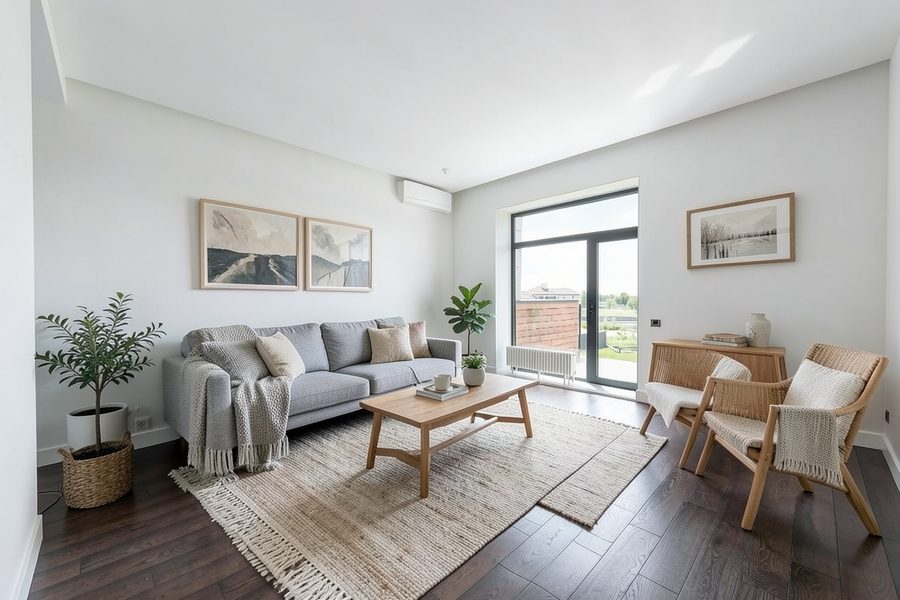
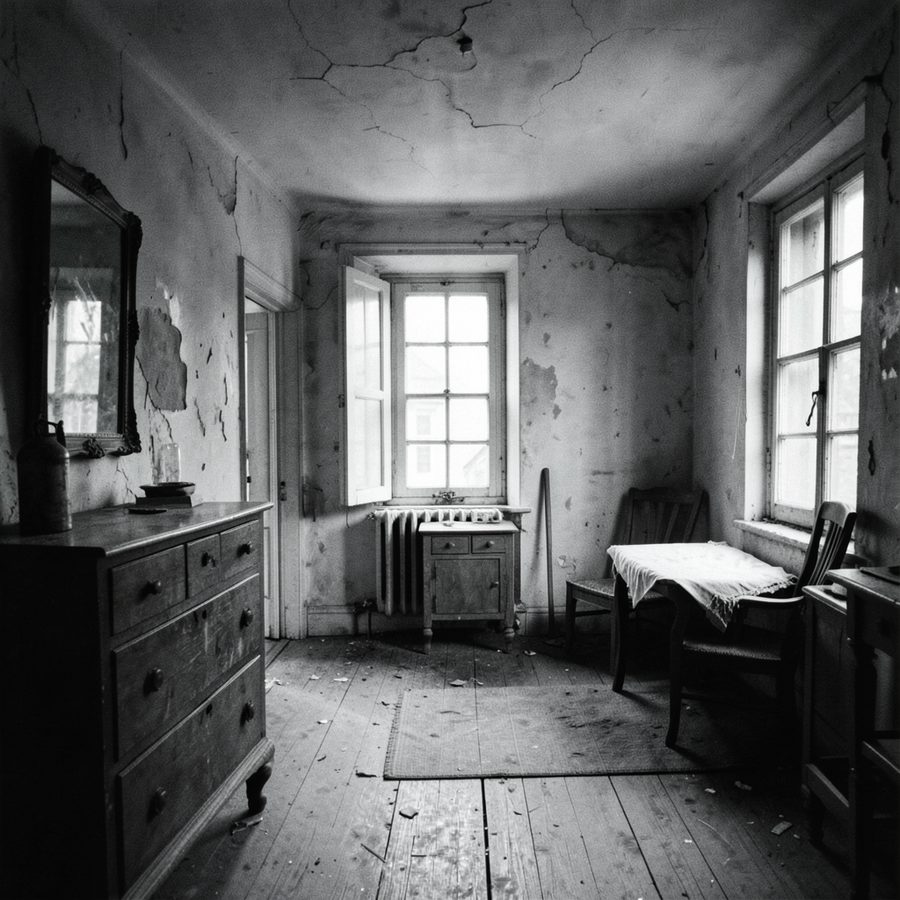
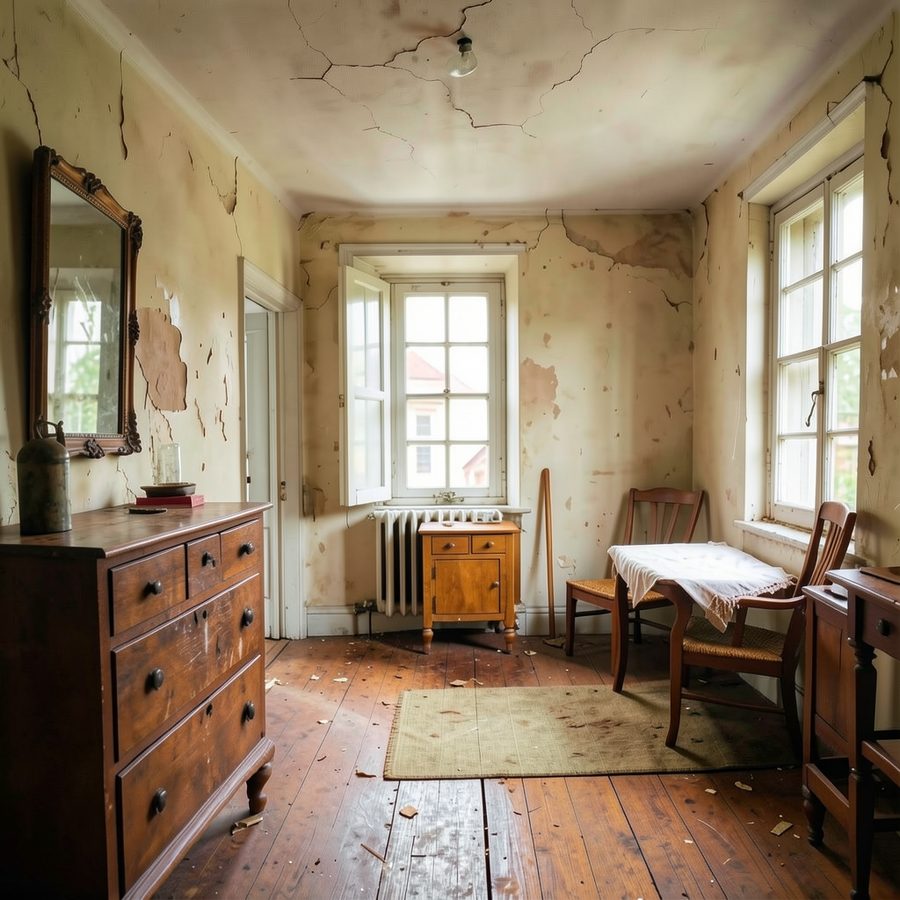
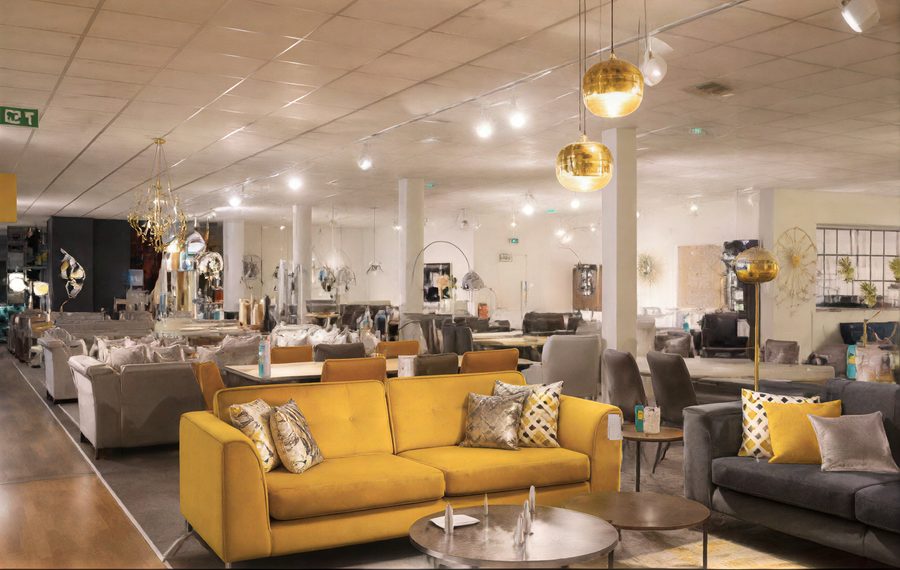
The result · guided edit
Edited roomOriginal room
↔
Reference becomes a constraint.The visual goal is not a lucky render. It is a room edit that responds to a product or style while keeping useful scene context.
Drag the frame. This is the visible surface of a larger system: task routing, conditioning, sampling, retrieval, and export are separated into inspectable paths.
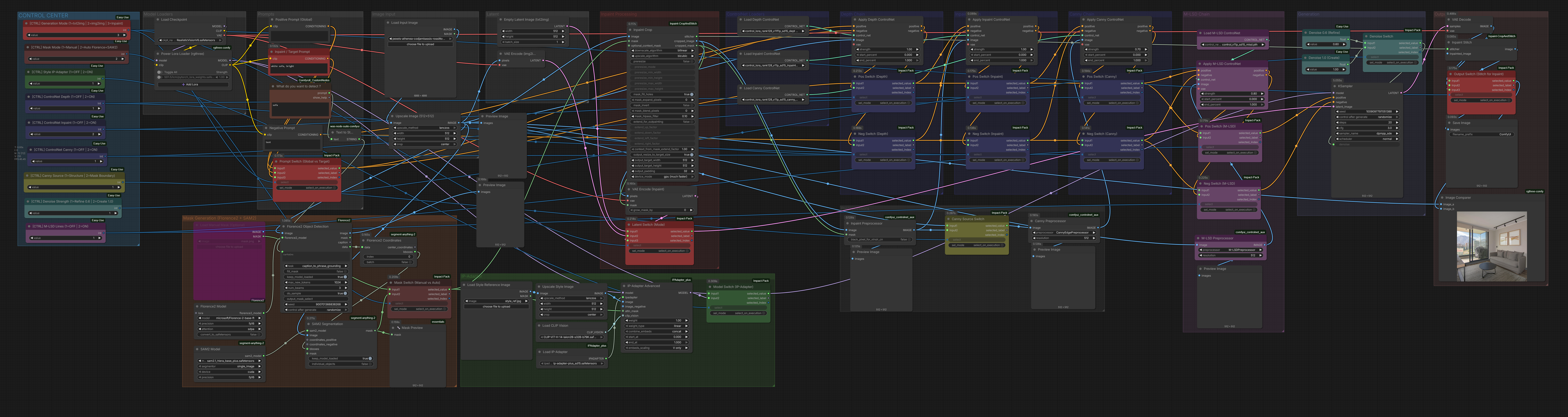
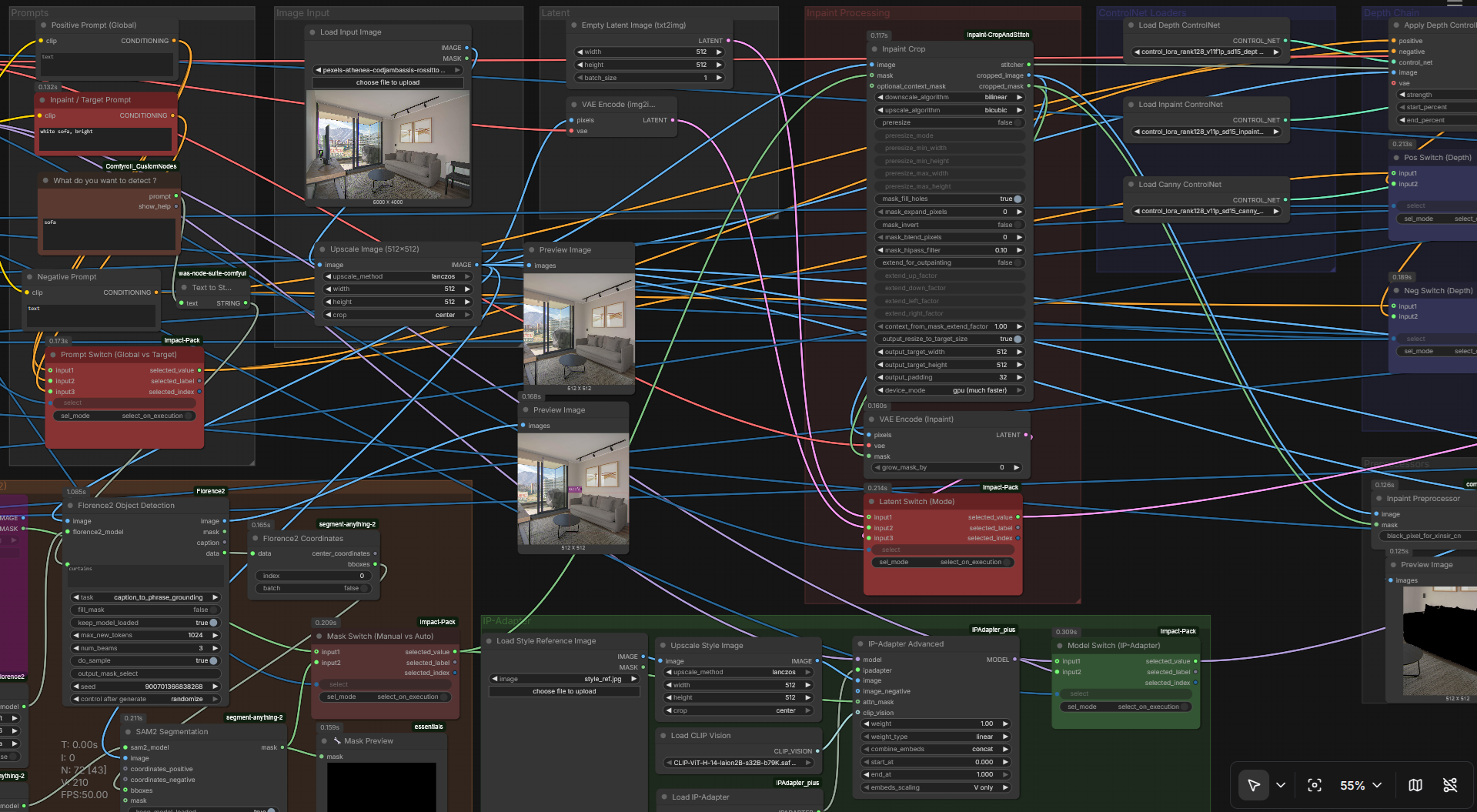
72 nodesuniversal ComfyUI graph
1,152DSigLIP2 visual embeddings
4BQwen3-VL selected from ablation
<45sdocumented 2D → 3D path
01 · Orchestration
One studio, many controlled operations.
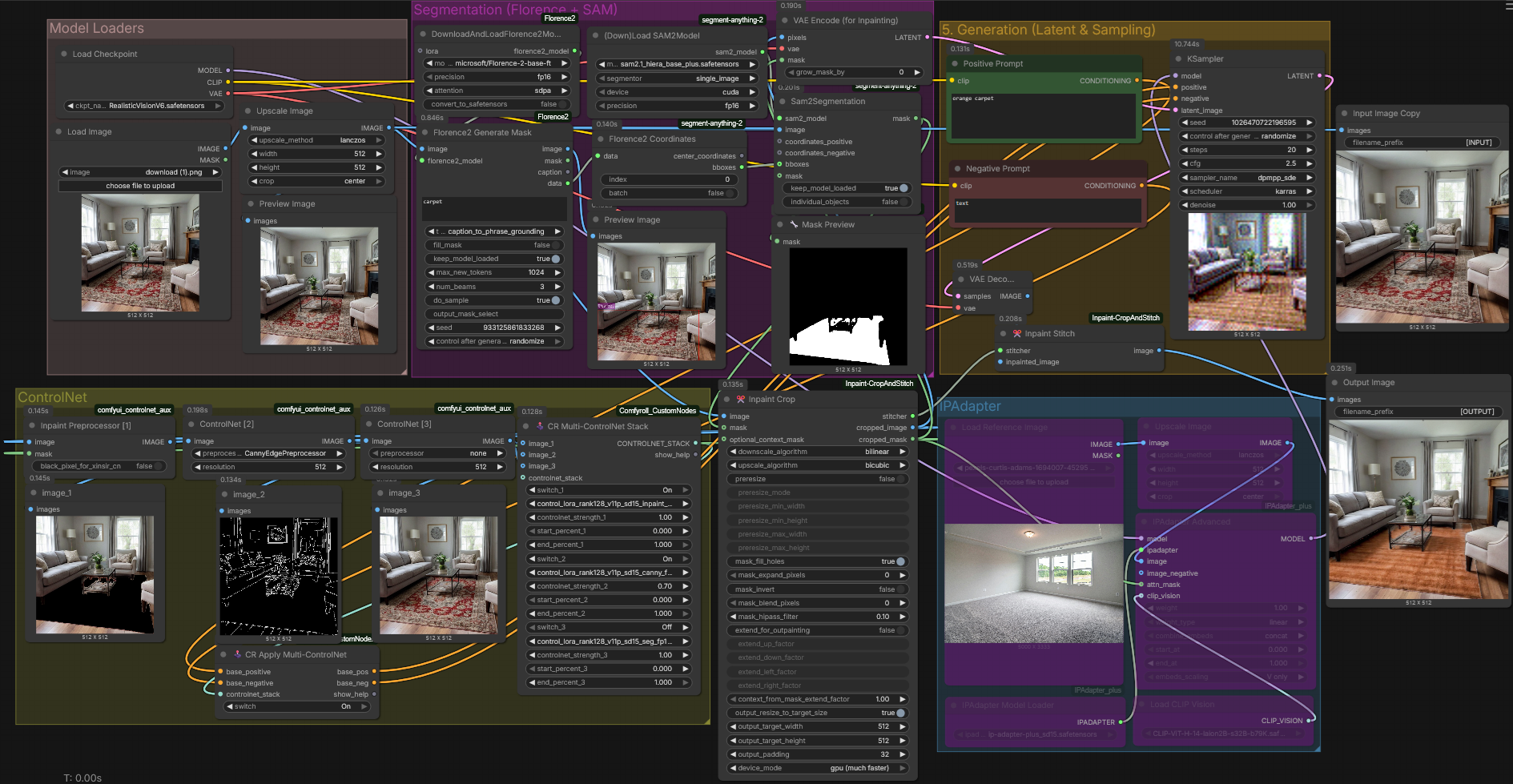
Interior visualization asks for different kinds of control: furnishing an empty shell, replacing one object, applying a reference style, changing time of day, cleaning a room, or preparing an asset for 3D. The system turns those intentions into explicit routes instead of asking an operator to rebuild a graph from scratch.
The signature system
Universal workflow
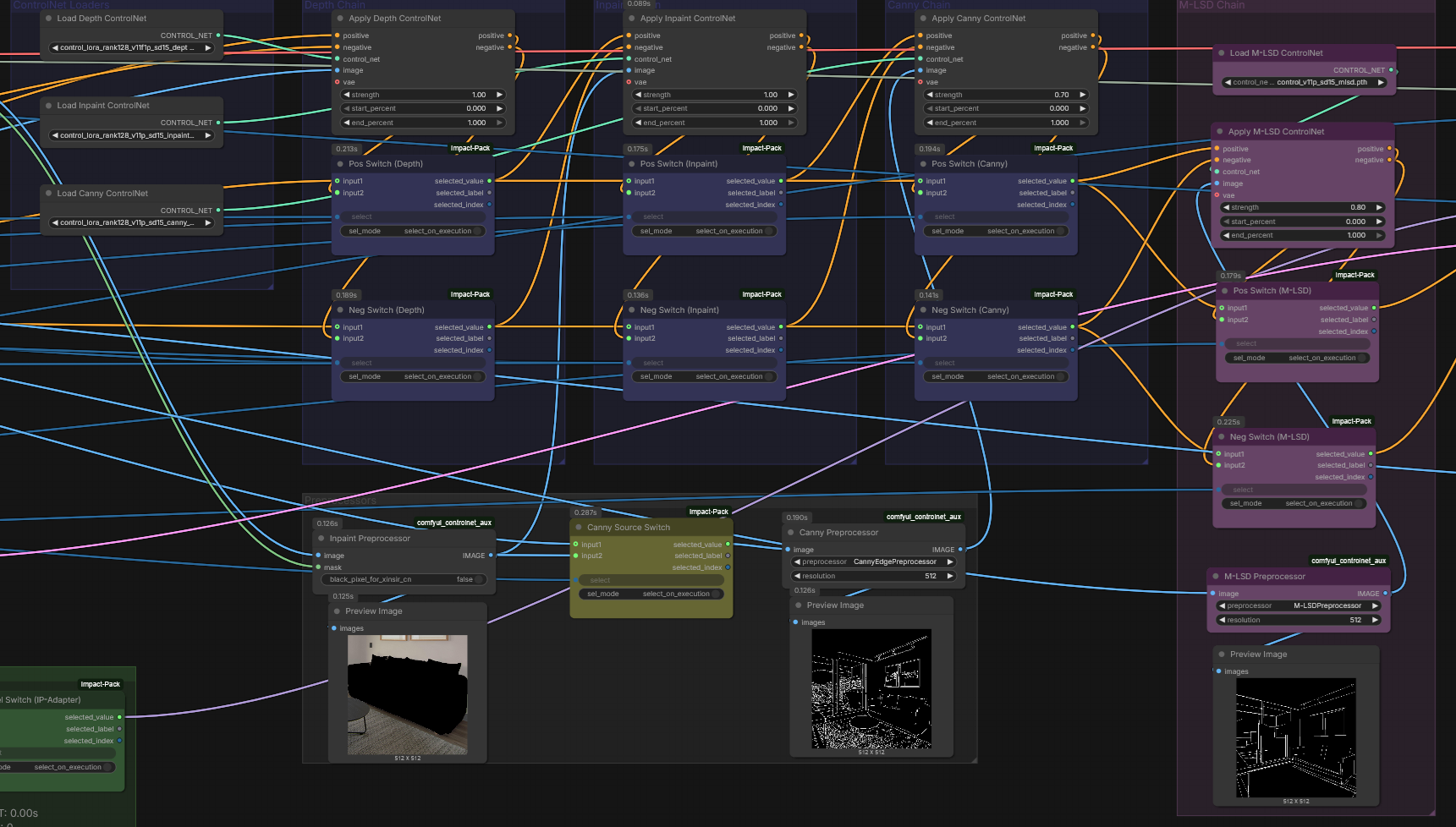
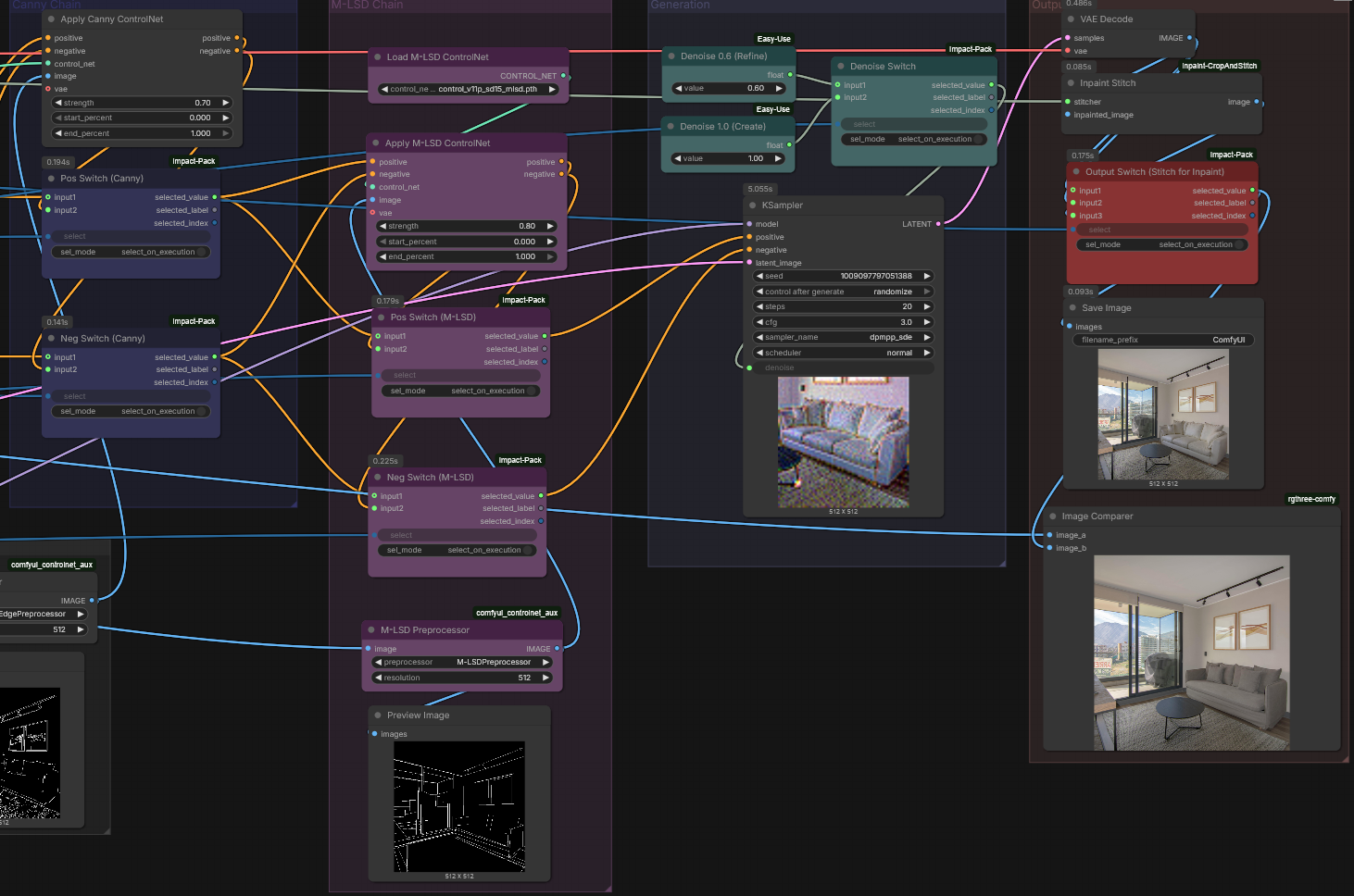
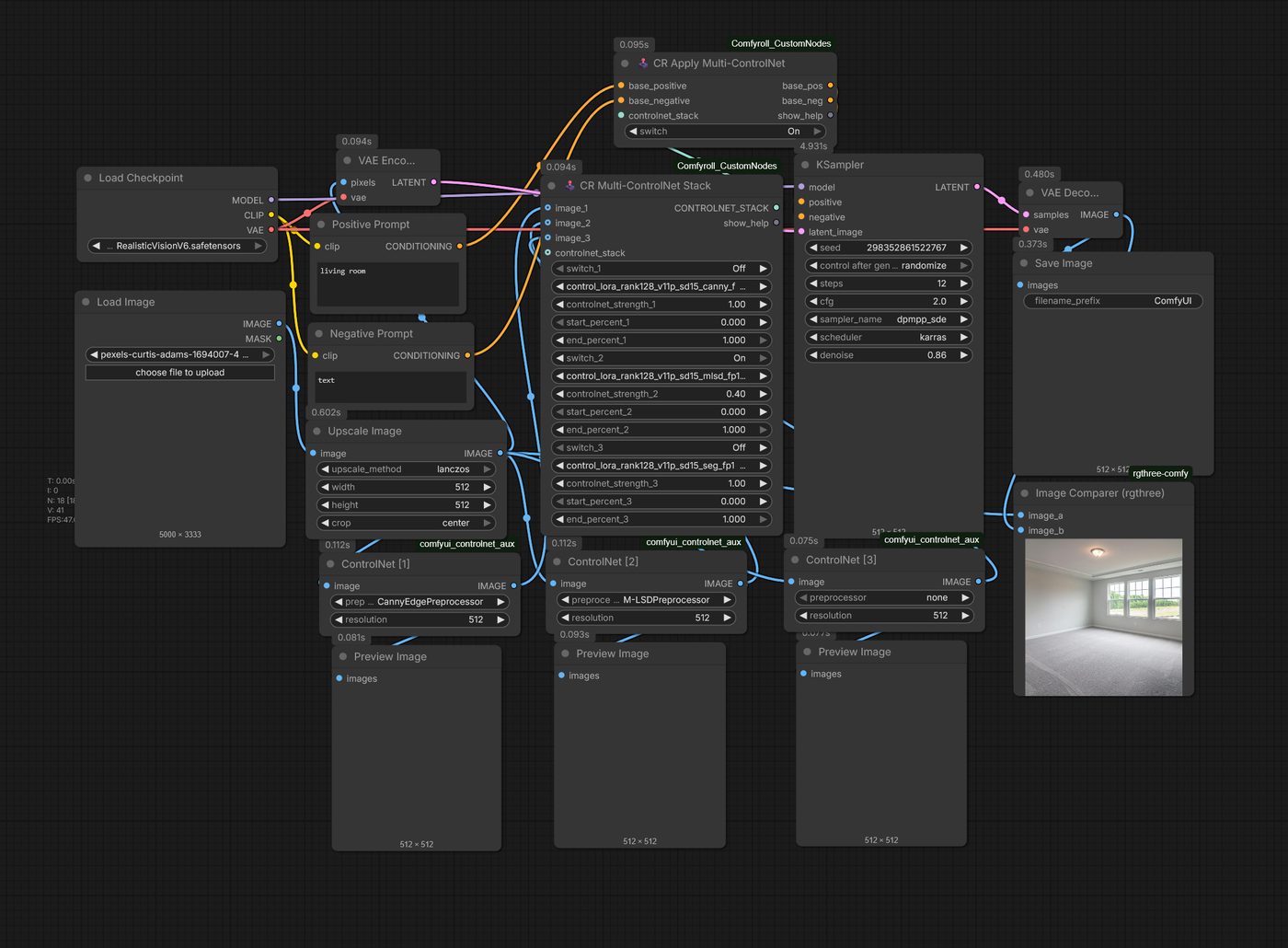
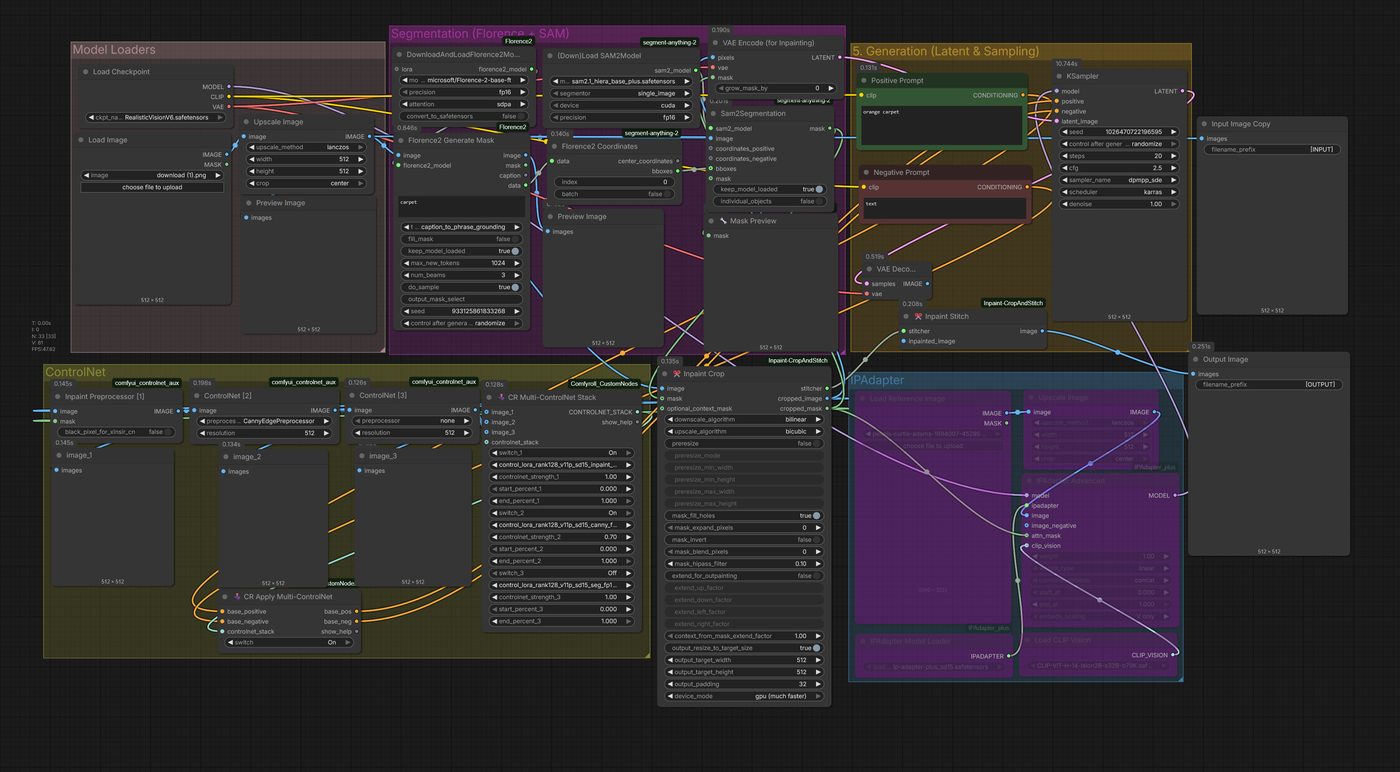
A large shared graph sits above the focused exports. Rail-Switch mode selection, controller branches, fast bypasses, scene understanding, conditioning, reference injection, and a shared KSampler/output route make the pipeline understandable as a system. The graph is wide because the work is wide; the reader can pan across it and then enter the five guided regions below.
Scroll sideways to pan the wall · click the graph to inspect it at full resolution.Five regions below explain how it works.
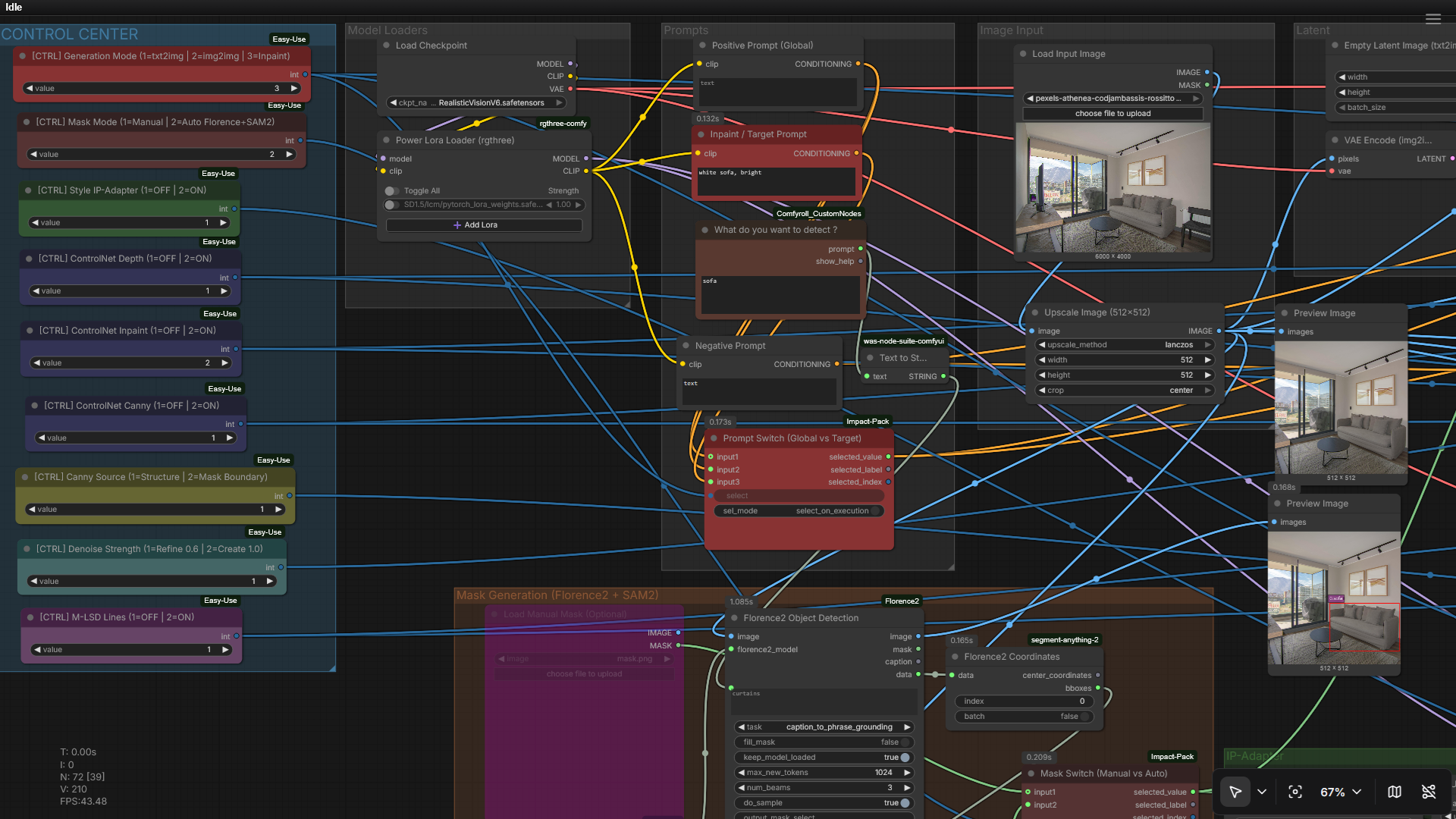
Mode selection and rail switches decide which work happens. The switch routes the prompt, image, and controls down one branch and mutes the rest, so each mode pays only for its own path.
Click to inspect
Region 02Bypass the work you do not need
Controller branches and fast muters skip inactive sections. A focused task travels a short path instead of dragging the whole studio behind it.
Click to inspect
Region 03Understand the scene
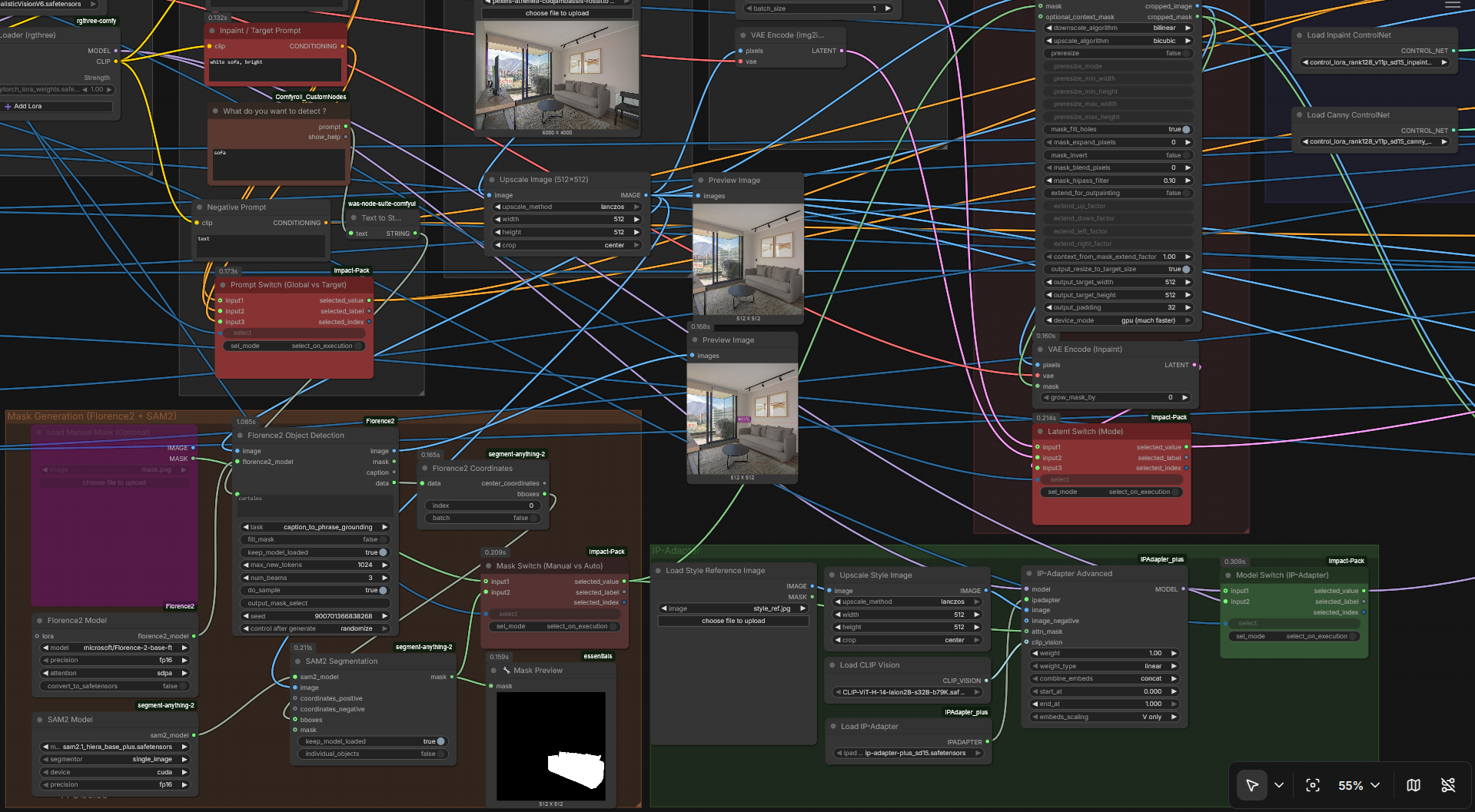
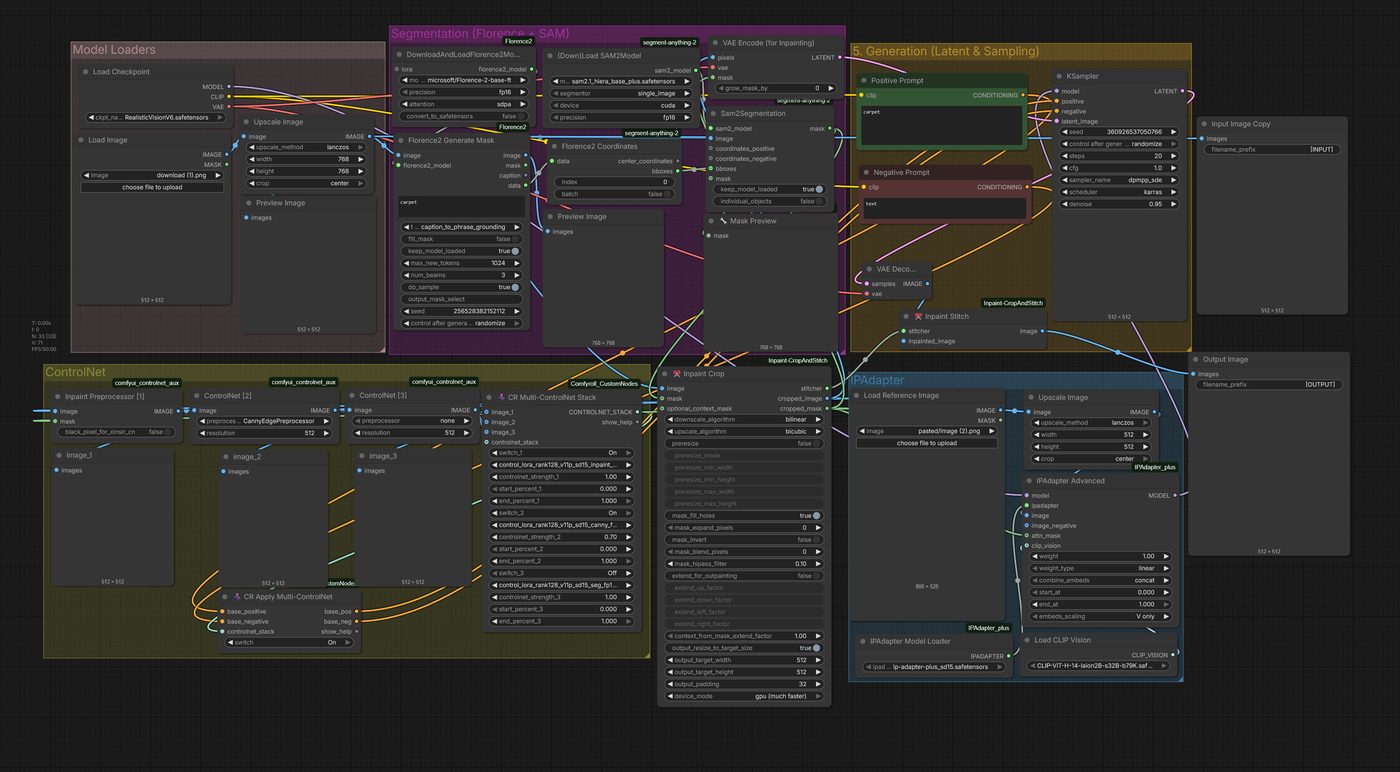
Florence-2 and SAM2 turn the input into an edit surface: detection finds what is in the room, segmentation carves out exactly where an edit may land.
Click to inspect
Region 04Condition with intent
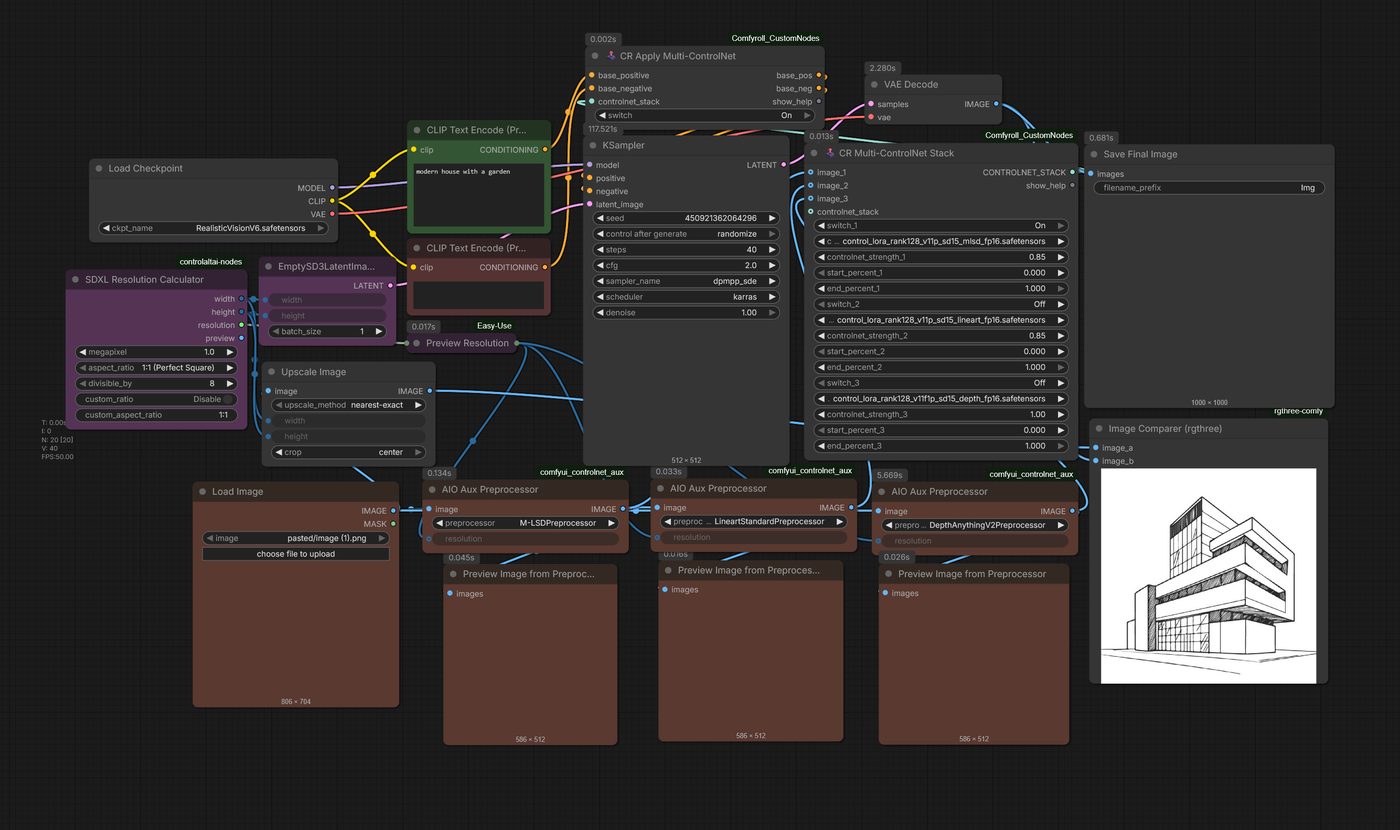
Canny, depth, inpaint, and M-LSD conditioning are selectable per task. Structure, geometry, or masked repair each get the guidance they need — and nothing they do not.
Click to inspect
Region 05Inject, sample, deliver
Reference inputs flow through controlled injection into a shared KSampler and output route, so every branch exits through one calibrated delivery path.
Click to inspect
02 · Workflow atlas
One graph. Many visual jobs.
Every job below rides the same universal graph, yet each enters with different inputs, obeys different constraints, and leaves as a different deliverable. That is what makes them capability families rather than interchangeable style presets — so each one gets its own record here.
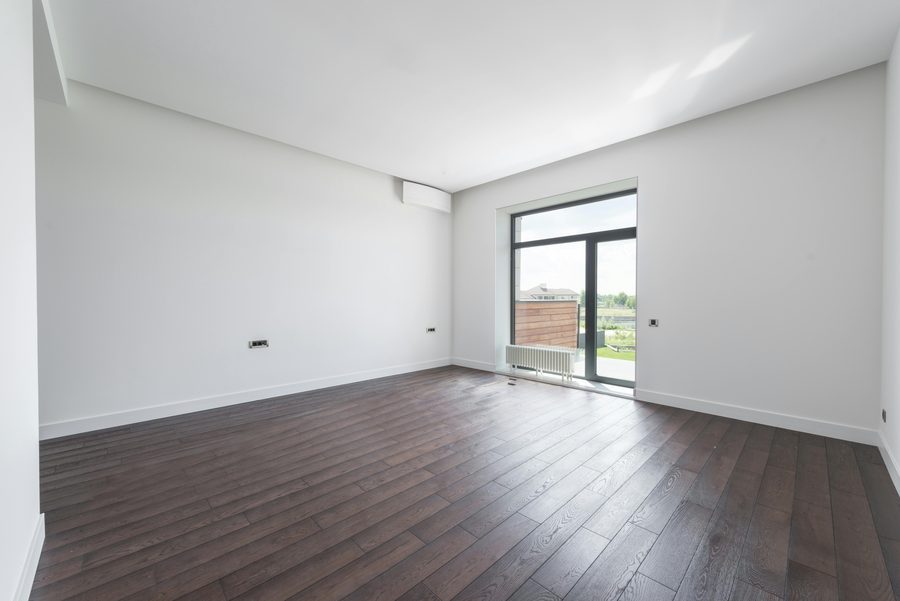
Input · empty shellOutput · staged interior
Click to inspect full graph
01
Furnish an empty room
staging
Populate a bare or badly styled shell with coherent, high-end furnishings while the architecture itself stays untouched.
Inputs
Empty or poorly styled room photograph, staging prompt
Constraints
Walls, windows, and structural lines stay locked; new light follows the existing scene
Outputs
Fully staged interior render, from blockout to listing-ready room
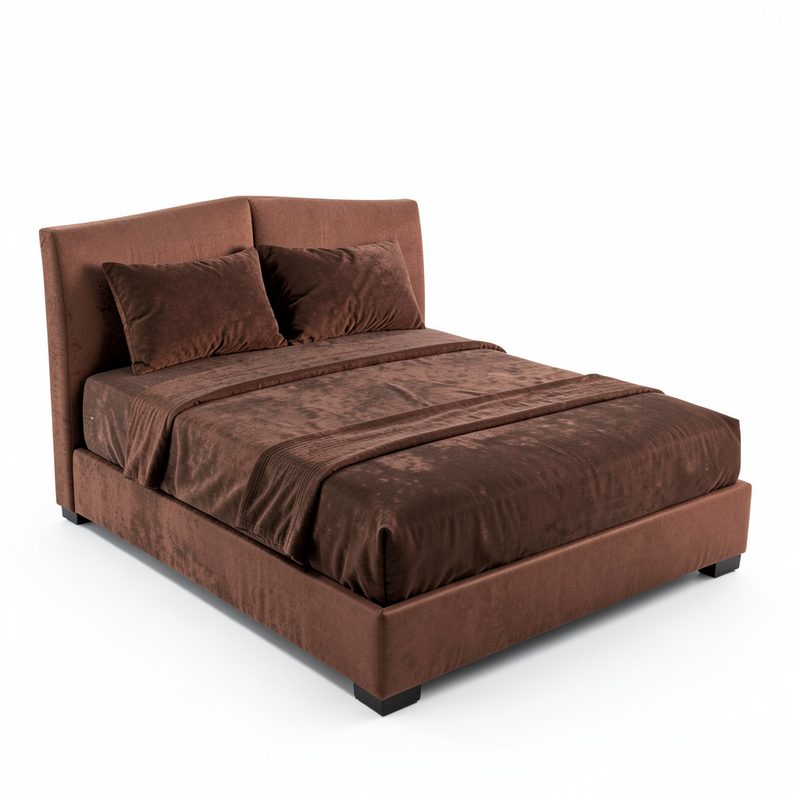
Reference productBase photographProduct placed
Click to inspect full graph
02
Shop the look
reference-guided
Inject specific commercial products into a shell or a photograph so the render sells a real catalogue item, not an approximation.
Inputs
Base photograph plus one or more product references, in single- and multi-reference passes
Constraints
Product shape, material, and colour must survive injection; combined references may not cross-contaminate
Outputs
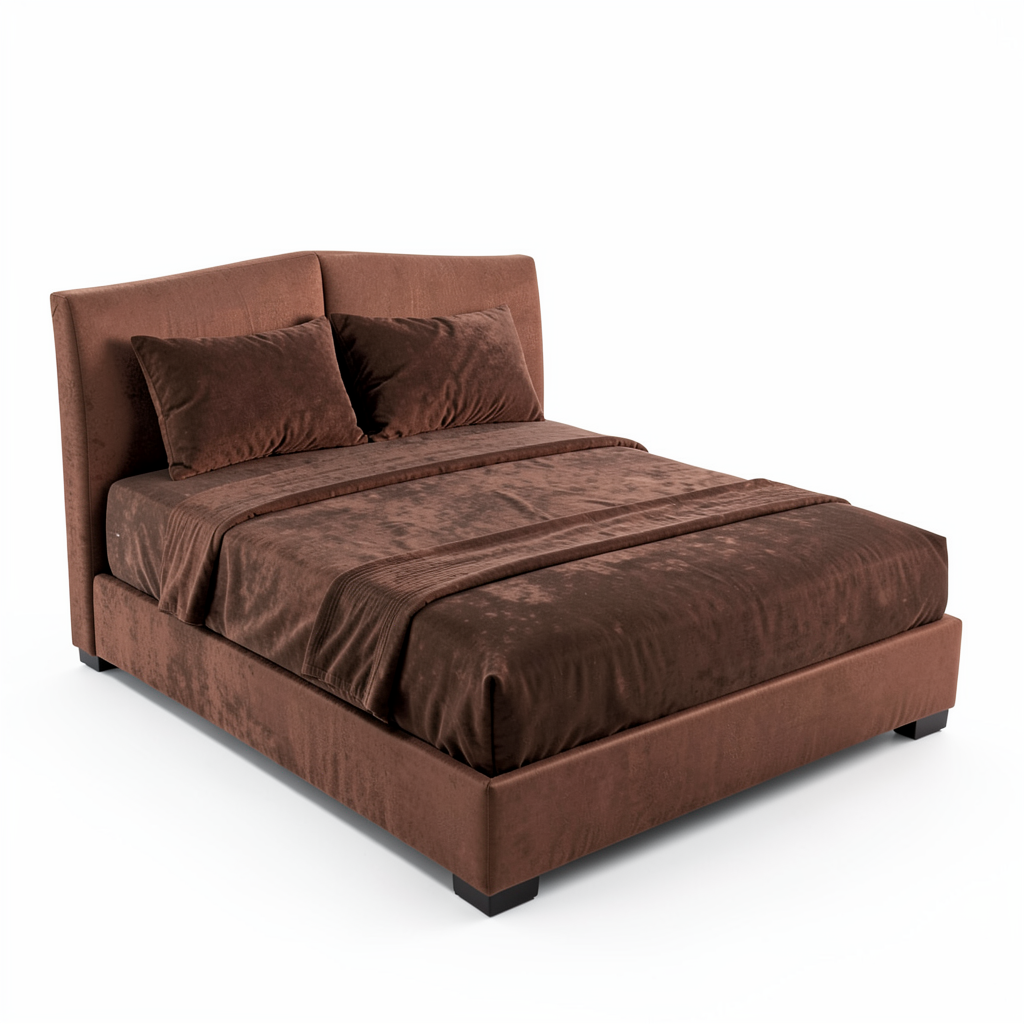
Room containing the exact referenced product, staged around it
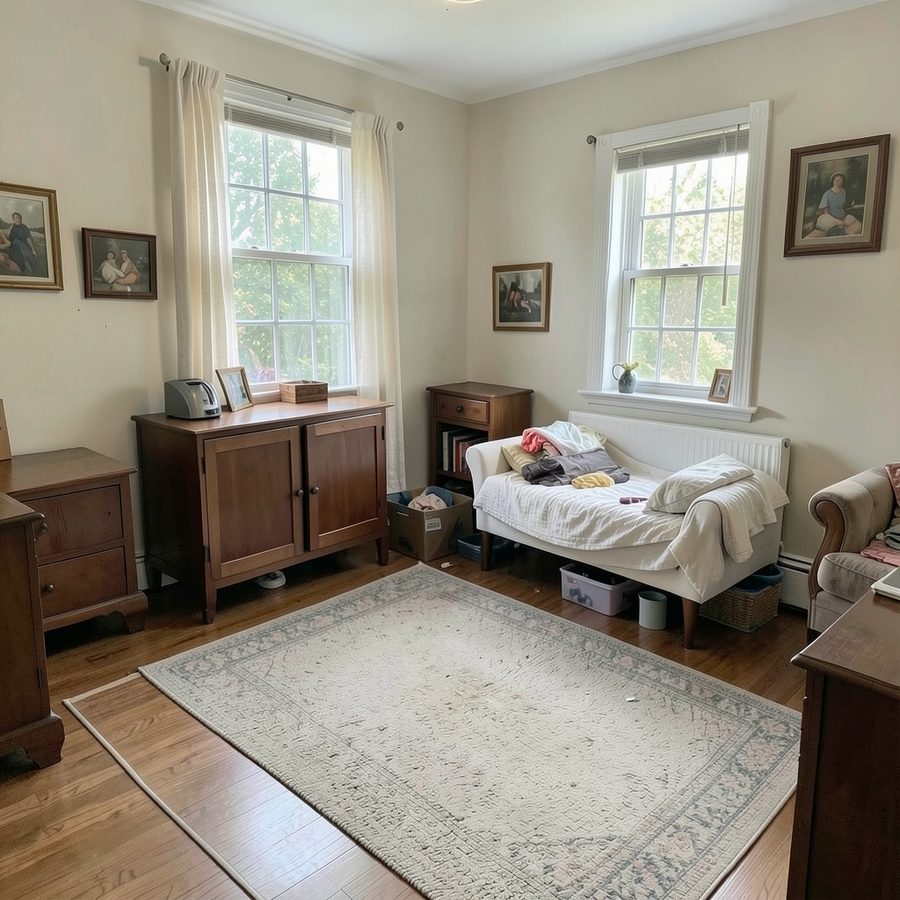
Edited roomOriginal room
↔
Click to inspect full graph
03
Replace one object
local edit
Regenerate only a masked sub-region — a bed, a carpet — while the rest of the room keeps its perspective, lighting, and clutter.
Inputs
Base photograph, mask, optional product reference
Constraints
Unmasked pixels stay untouched; free generative fill and reference-guided inpainting remain separate routes
Outputs
Local edit with context preserved, or a product-accurate variant when a reference is supplied
Routed through the universal graph — branch switches and rails in §01.
04
Restyle the scene
style presets
Re-render one space in a different visual language: full colourisation of a grey-box blockout, or coastal daylight, anime, and block-world presets over a photograph.
Inputs
Grey-box blockout or photograph, preset prompt
Constraints
Layout and structure carry over; the style changes, the geometry does not
Outputs
One scene rendered per preset, including day and night variants
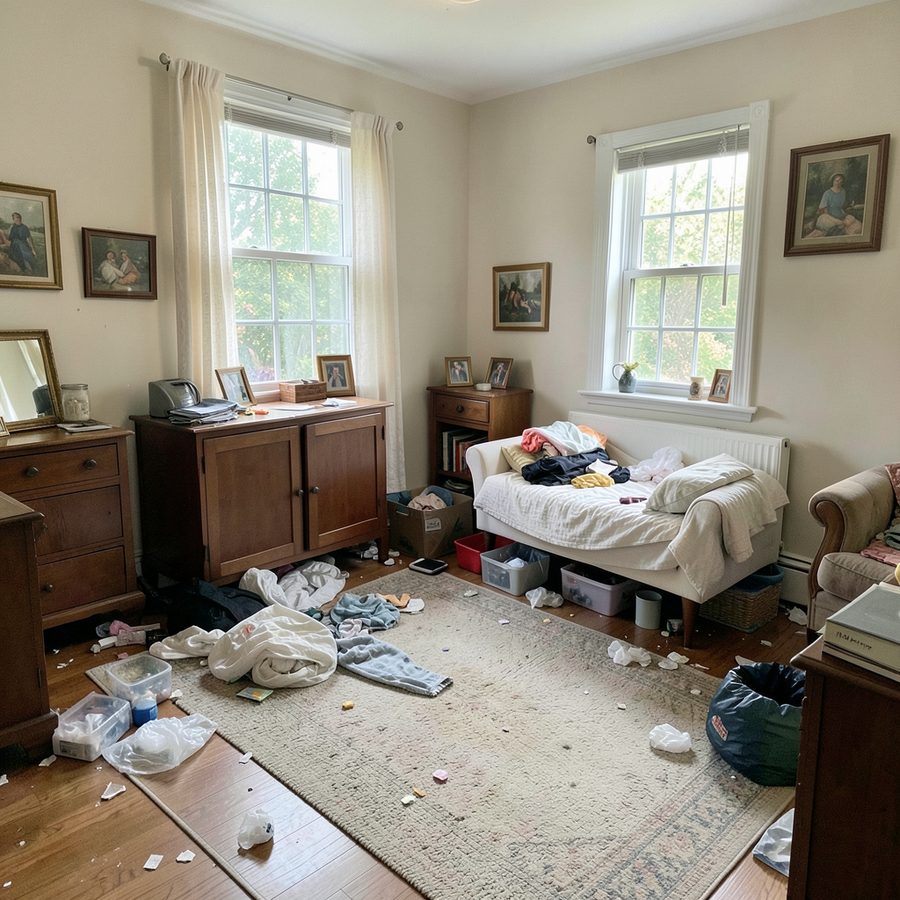
Input · cluttered sceneOutput · magic clean
Input · daytime renderOutput · night re-light
05
Clean and re-light
declutter · atmosphere
Remove scattered clutter, then re-grade time of day, lamps, curtains, or weather — while every piece of furniture stays exactly where it was.
Inputs
Cluttered or flat-lit photograph, atmosphere instruction
Constraints
Object placement frozen; only clutter, light, and atmosphere may change
Outputs
Clean real-estate staging plus lighting and weather variants of one scene
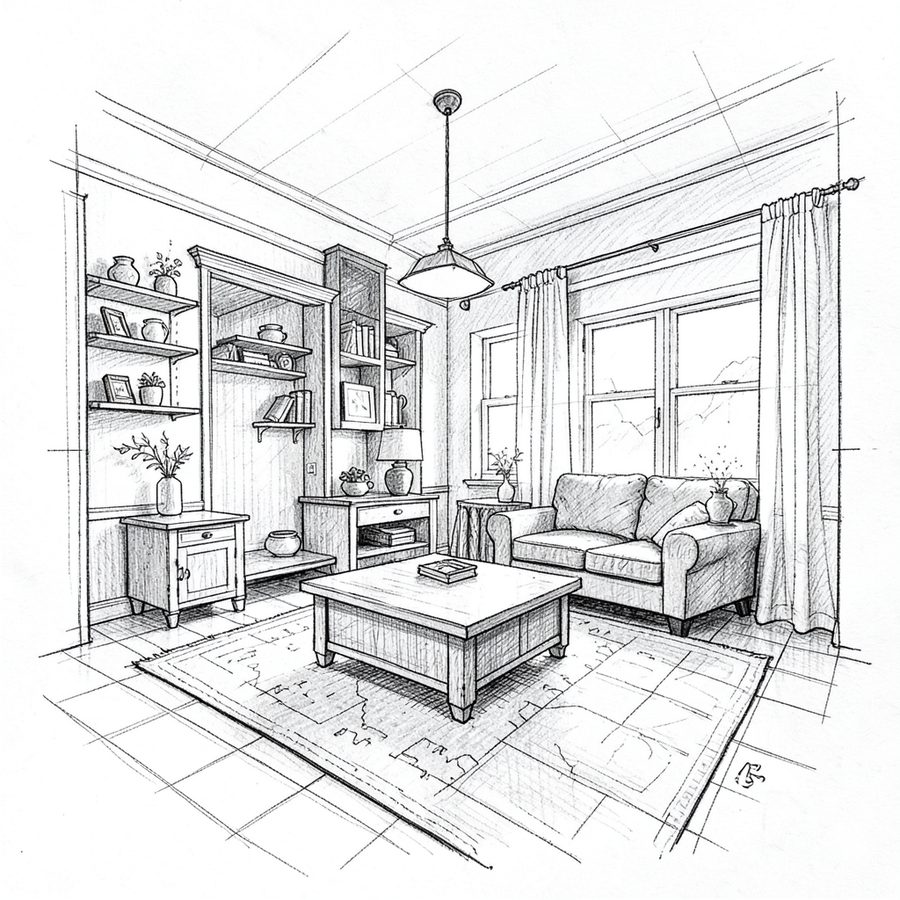
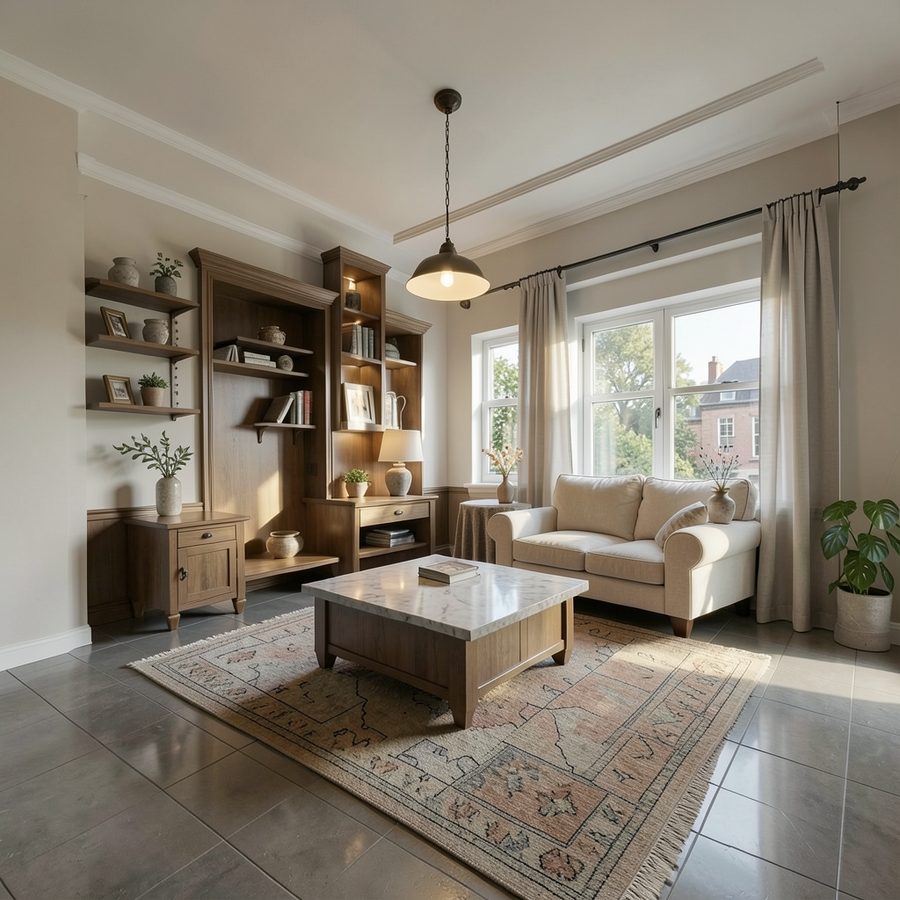
Input · line sketchOutput · photoreal render
Click to inspect full graph
06
Sketch → render
structure-aware
Turn hand-drawn line art straight into a photorealistic render, without assembling a multi-ControlNet stack.
Inputs
Line sketch or rough spatial drawing
Constraints
Drawn proportions and openings preserved through a single structural pass
Outputs
Photorealistic render of the drawn space, materials and light added
Input · raw generationOutput · FHD upscale
Click to inspect full graph
07
Restore detail
upscale
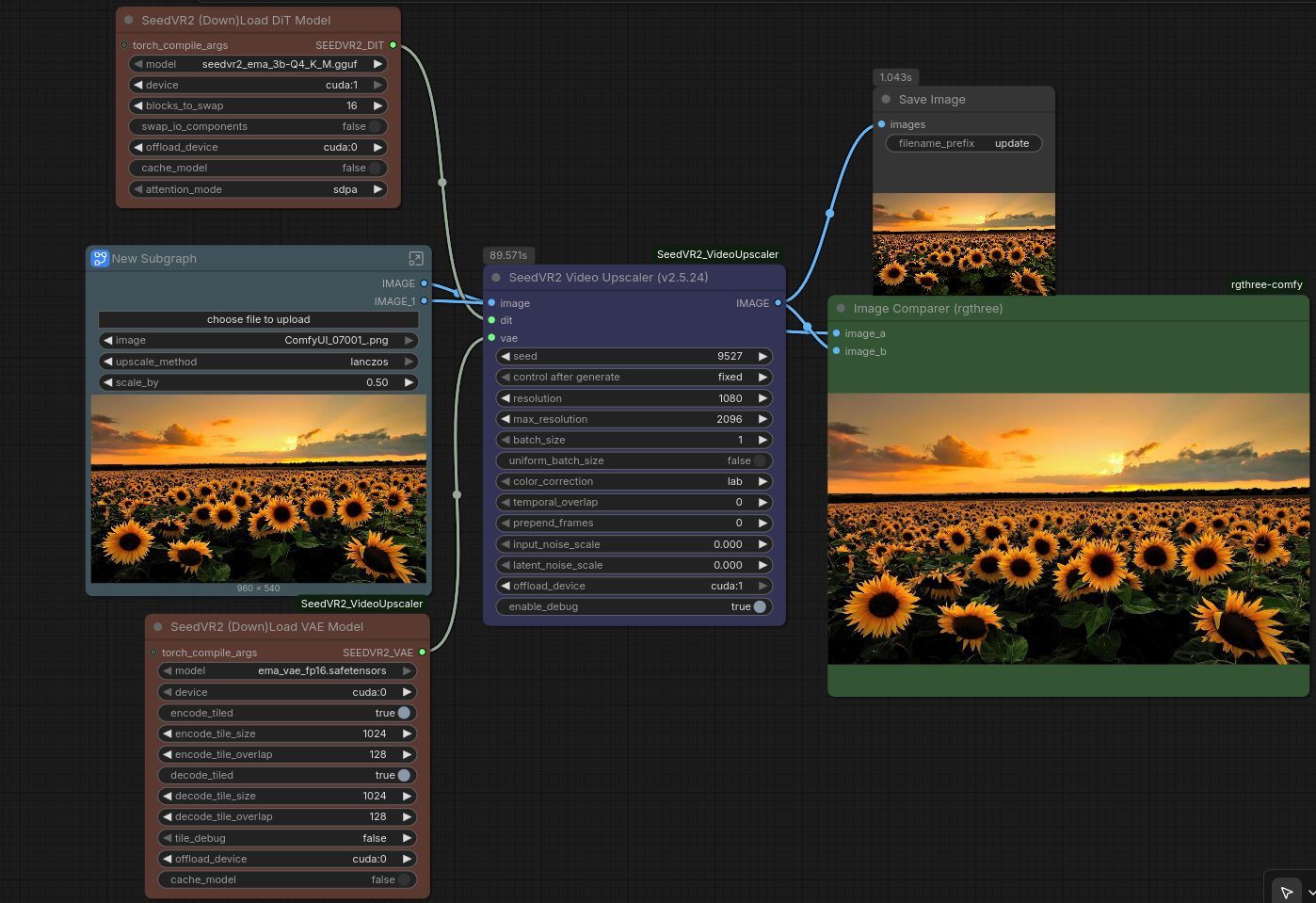
Resolve the micro-noise and texture seams that diffusion leaves on large smooth surfaces before anything ships.
Inputs
Low-resolution raw generation
Constraints
Global spatial awareness, no tiled invention; fidelity over invention
Outputs
Clean FHD upscale ready for export and delivery
Click to inspect full graph
08
Carry it into 3D
asset creation
Move a matched product from pixels to geometry: mesh, texture, and a GLB that survives a realtime scene. The full route is documented in §05.
Inputs
Retrieved or matched product view from the 2D pipeline
Constraints
Silhouette and material must stay consistent with the 2D result
Outputs
Textured GLB asset usable in realtime and staging scenes
Input room: context gives the edit something to preserve.Output: a new focal product inside the existing visual scene.
Two generations
From brittle routing to reference-latent editing.
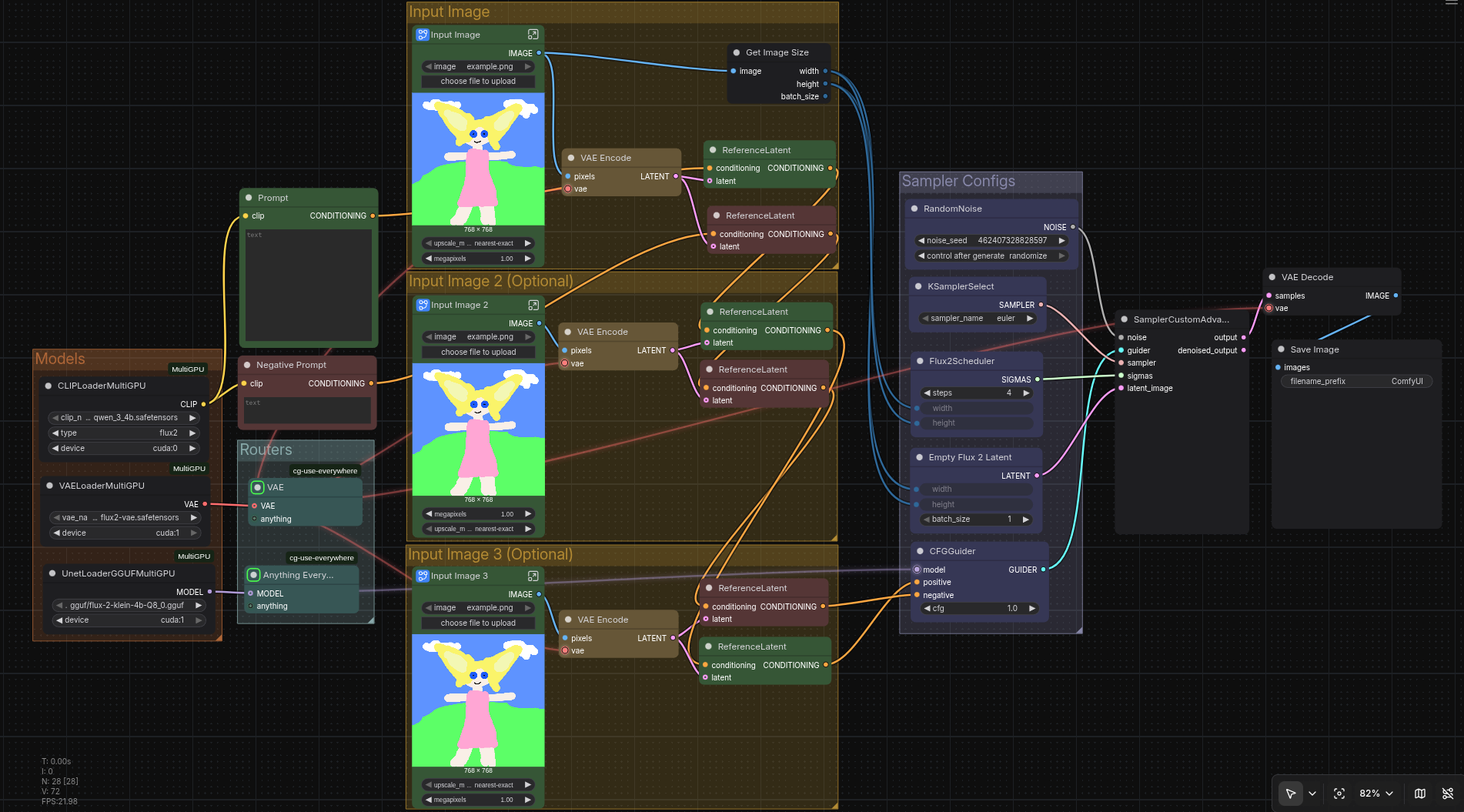
The older SD1.5 path made structure explicit through Canny, M-LSD, depth, ControlNet, masks, and IP-Adapters. The newer Flux2Klein path simplifies the edit route with native image-to-image conditioning. Both belong in the story, but they answer different engineering problems.
Legacy path. More explicit controls, more preprocessing, and more places for a route to become brittle.Flux2Klein path. Reference latents and flow-matching diffusion make the edit route more compact and coherent.From the presentation · View full deck
03 · From pixels to purchase
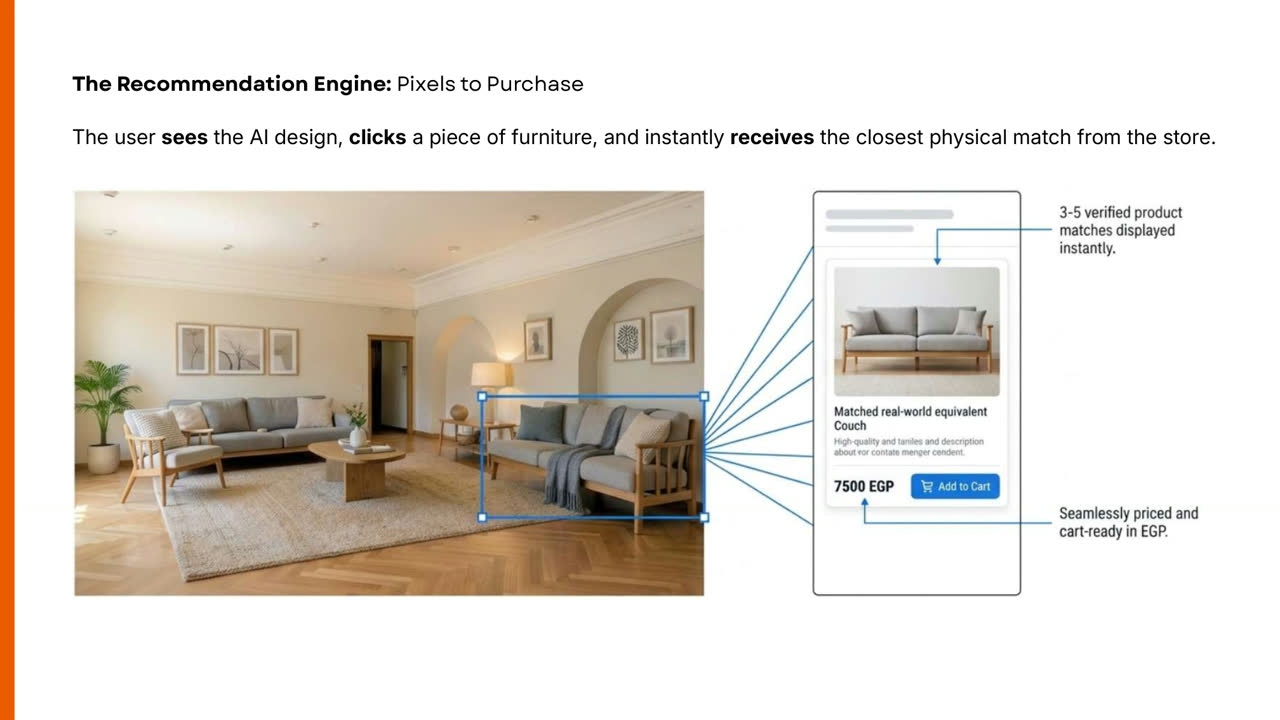
A render is useful when the object can be found again.
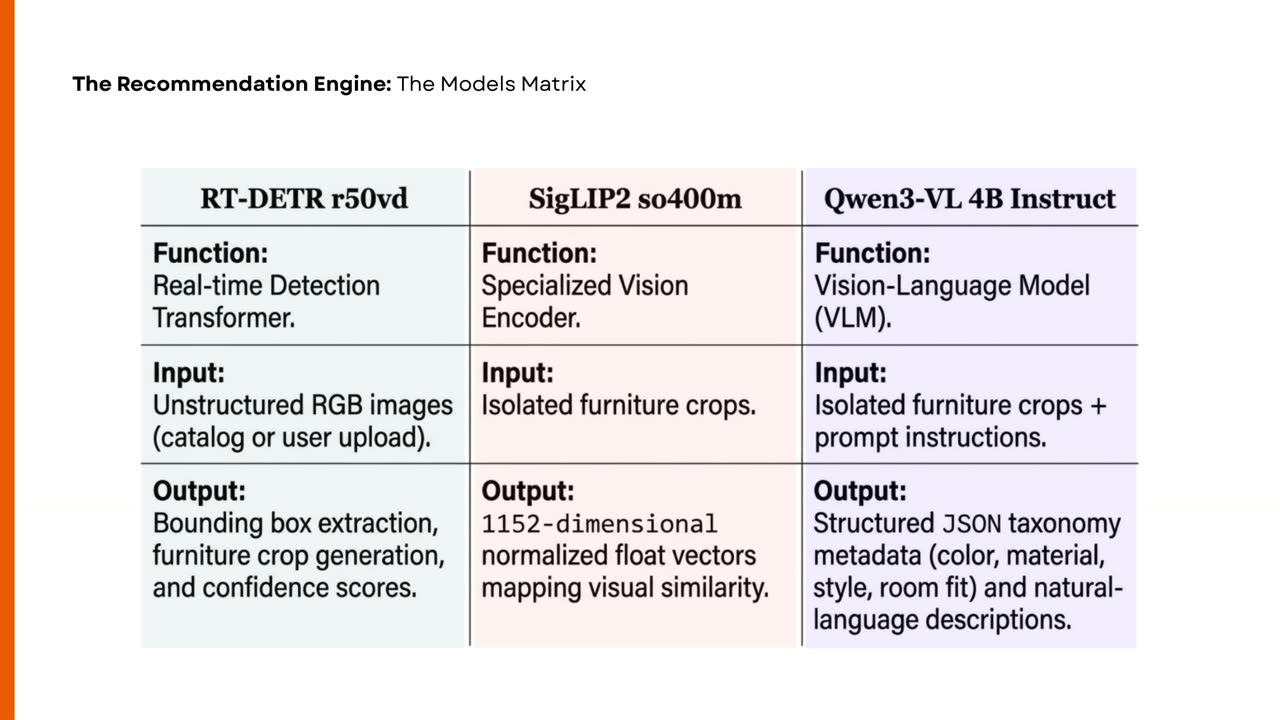
The recommendation engine connects visual generation to a catalog. A selected crop becomes both a vector and a structured description, then a local orchestrator makes the model’s vocabulary searchable and stable.
One product, two kinds of understanding.
The crop travels in parallel: SigLIP2 creates a normalized 1,152-dimensional visual embedding while Qwen3-VL produces attributes and a description. The orchestrator snaps free-form tags to a canonical taxonomy, writes vectors plus metadata to ChromaDB, filters by color/material/style, and falls back to visual similarity when filters become too restrictive.
DetectRT-DETR finds furniture regions.
DescribeQwen3-VL names useful attributes.
NormalizeAliases snap to fixed vocabulary.
RetrieveFiltered or vector-ranked catalog results.
SigLIP2How similar? Embeds the visual crop in 1,152 dimensions.
Qwen3-VLWhat is it? Generates structured attributes and description.
OrchestratorCan we search it? Normalizes, filters, and ranks.
The model split is deliberate: detection, visual embedding, and language-backed metadata each have a different job.From the presentation · View full deckThe product loop closes: select the furniture in the scene, then find a catalog match.
⌄Why the 4B vision-language model was selected
The model choice came from an ablation rather than a size contest. The 2B variant was fast but returned invalid JSON on the test furniture. The 4B and 8B variants parsed cleanly; 8B added latency without a meaningful enough gain for this product path, so 4B became the practical balance.
Variant
Observed behavior
Decision
2B
Fast, but invalid structured output on test cases
Rejected
4B
Clean parsing with useful attributes
Selected
8B
Clean parsing, slower with marginal gain
Reserved
04 · Operations
The notebooks are infrastructure.
Running a visual system is part of the engineering. The Kaggle work turns a fragile setup into a recoverable operating surface: restore snapshots, redirect caches, install only what is needed, repair custom nodes, and isolate failures by stage.
RestoreReuse a known environment snapshot when available.
StoreRedirect model and framework caches to usable storage.
InstallPull selected models and custom nodes only.
RepairPatch dependency and compatibility failures locally.
LaunchExpose manual controls and a tunnel when ready.
RecoverArchive, clean, restart, or inspect one failed stage.
Operational result: a restored snapshot can take roughly two minutes to become useful, while first-time setup remains explicit and inspectable. The value is not a single launch button; it is the ability to understand what happened when the environment changes.
05 · From match to mesh
The catalog object can become geometry.
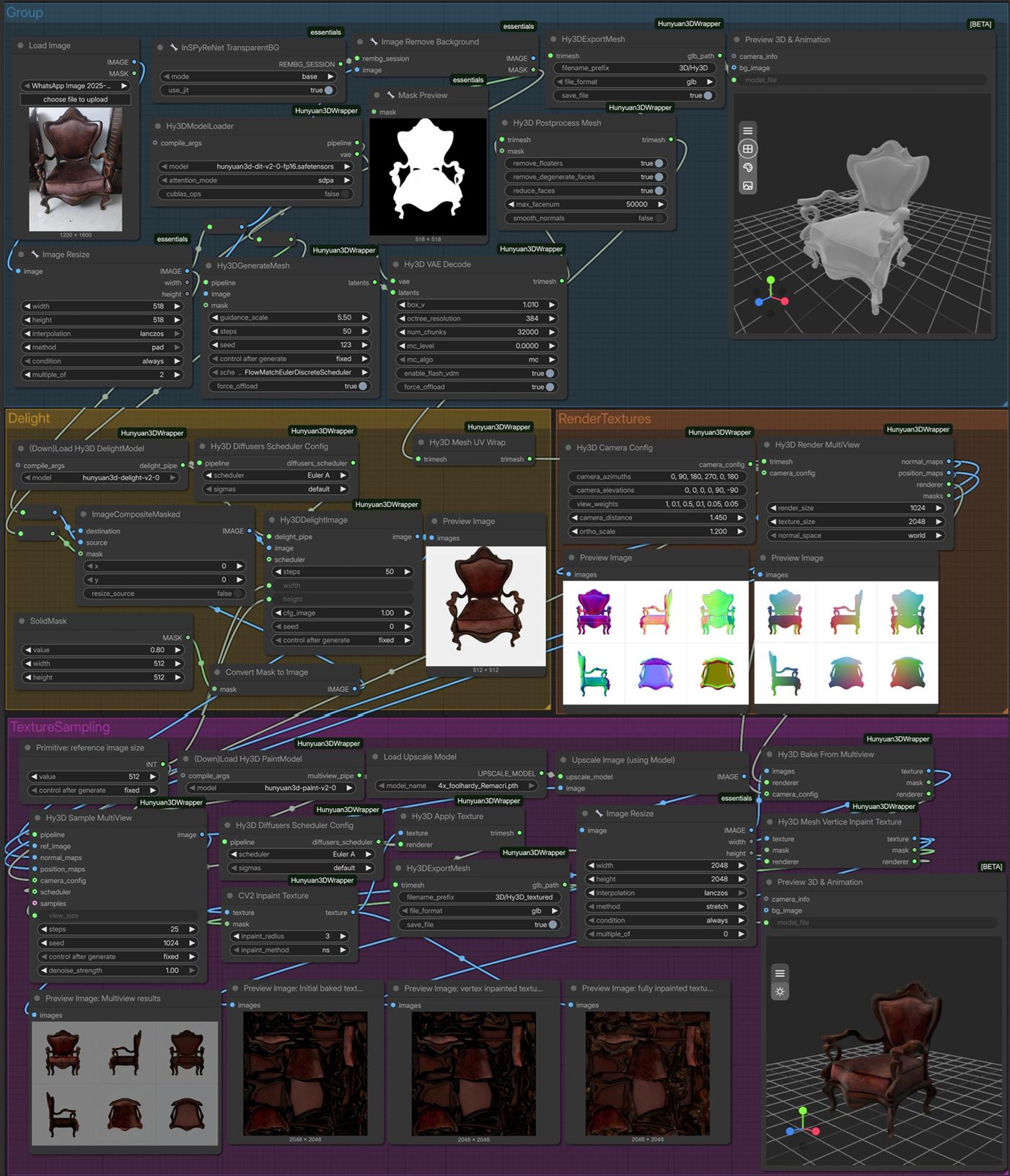
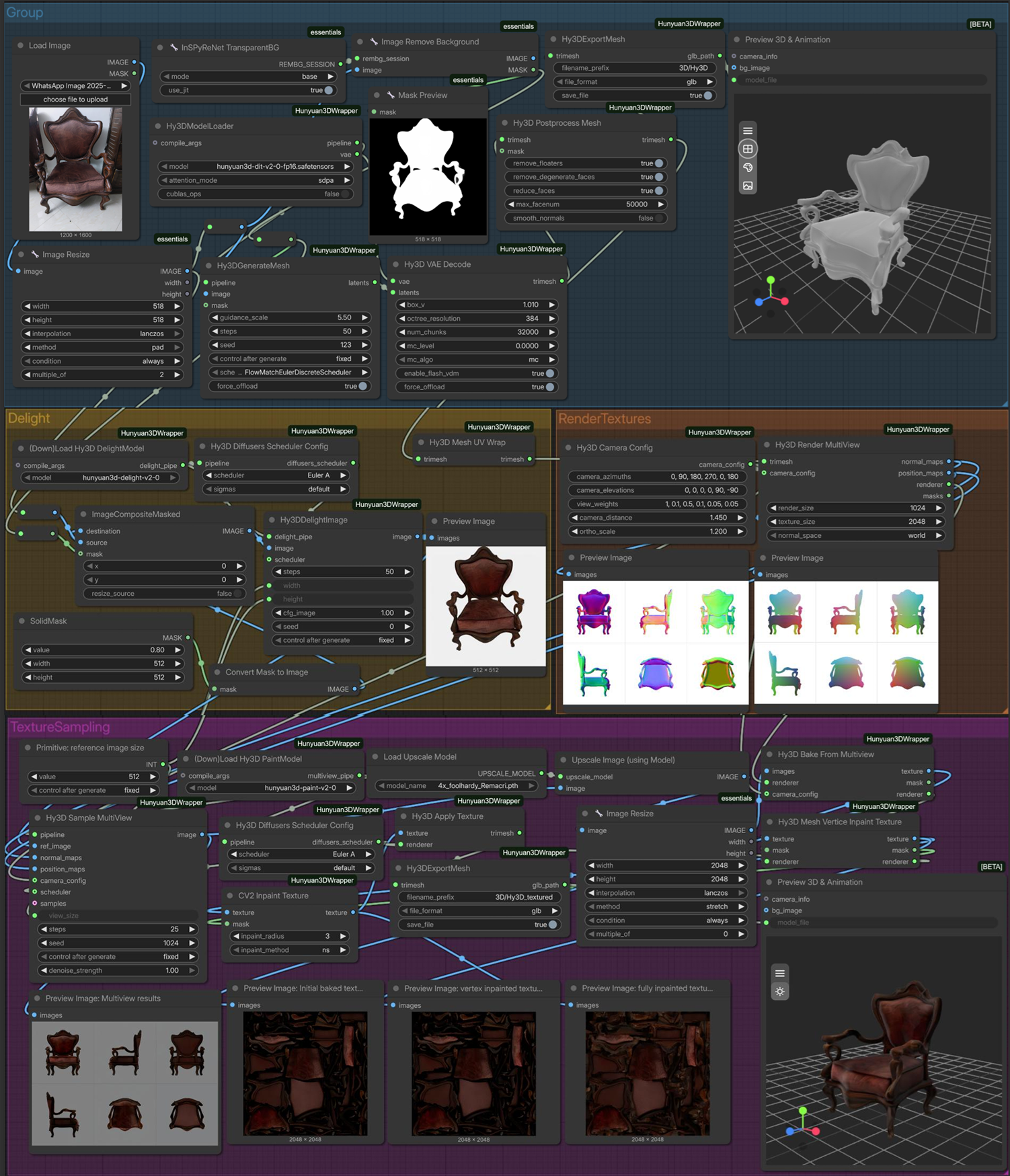
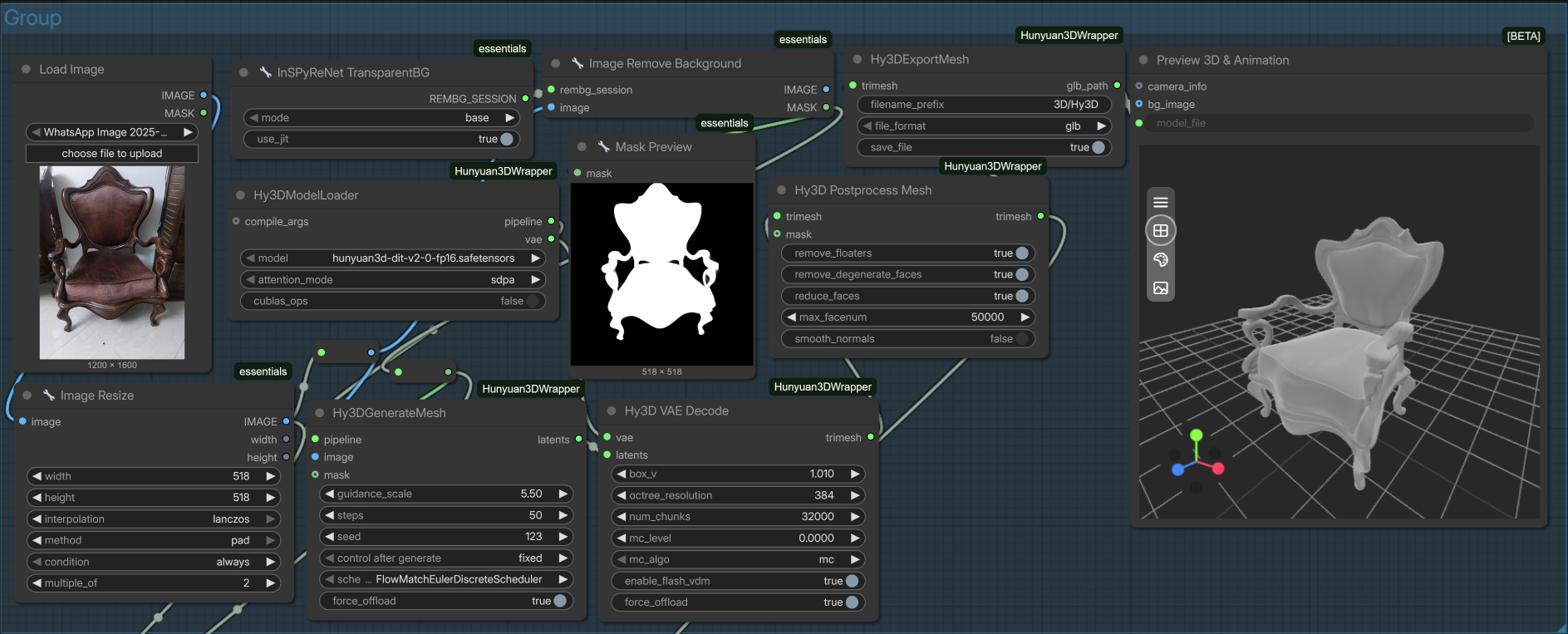
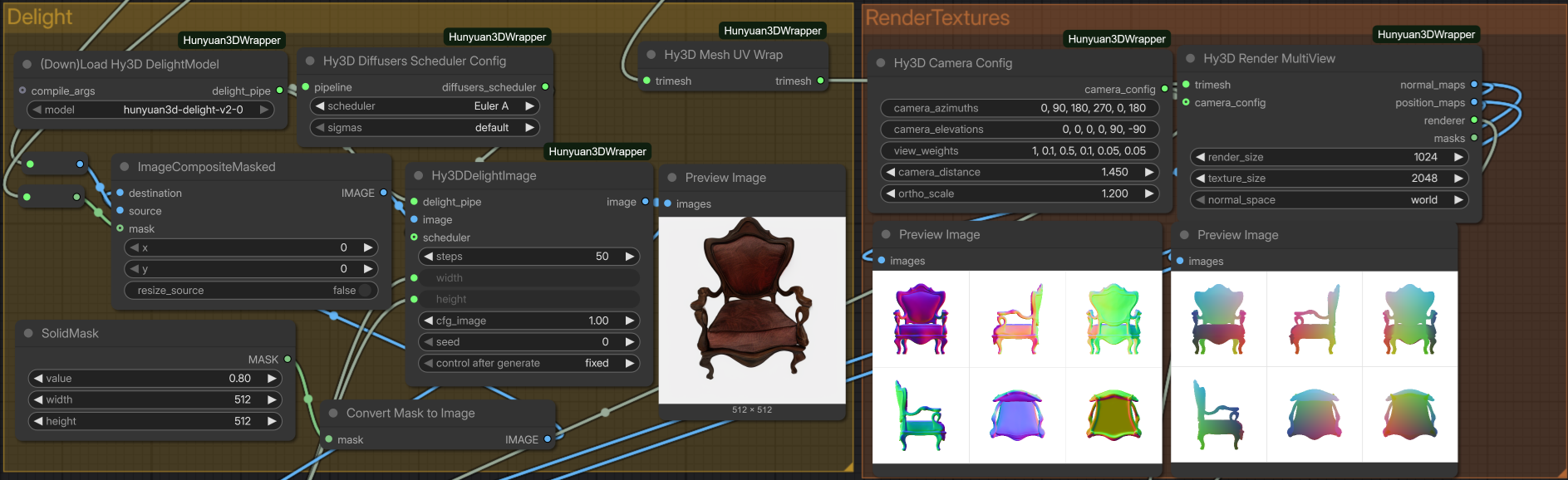
Once the engine can identify the right product, the workflow continues into a Hunyuan3D path. Background removal, normalization, SDF inference, Marching Cubes, cleanup, multiview rendering, and texture repair turn a 2D reference into a textured GLB that belongs back inside a spatial design tool.
The 2D-to-3D route: each stage exists because a raw generated mesh is not yet a usable product asset.
A chair has to survive the handoff.
The output is judged by more than geometry. It needs a clean surface, coherent views, useful texture, and a format the product can load.
<45sdocumented generation path
GLBtextured delivery format
2048²texture target in the workflow
3Dfrom a visual product match
Segmentation and geometry: remove the background, infer the object, and build a surface.Texture work: multiview evidence, reverse-view repair, UV cleanup, and final export.
06 · Product context
The AI lives inside a design product.
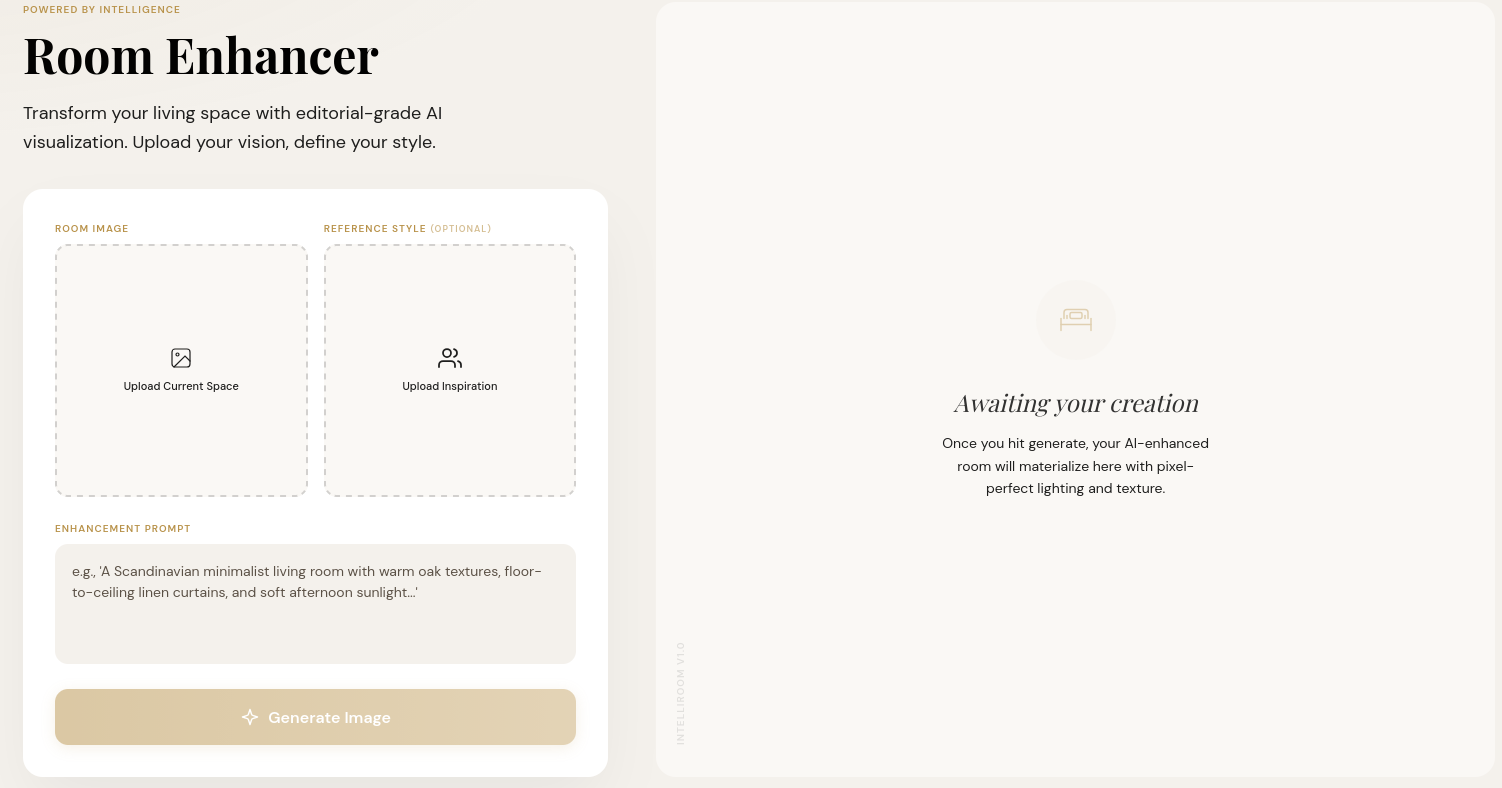
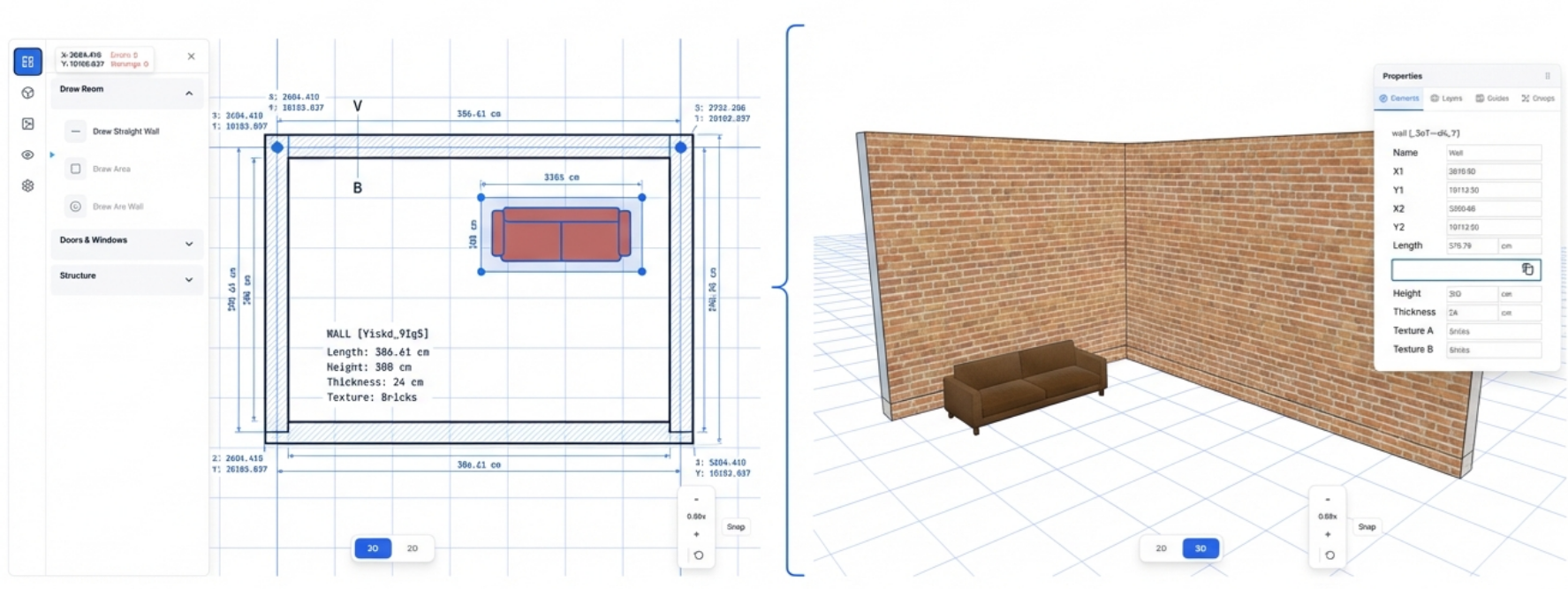
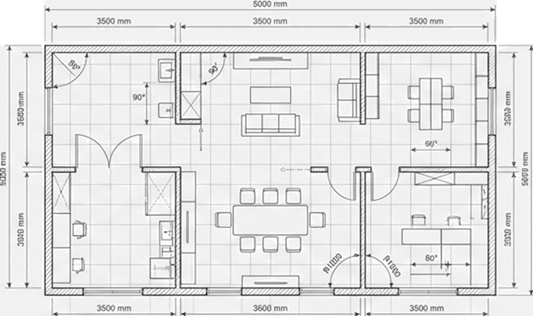
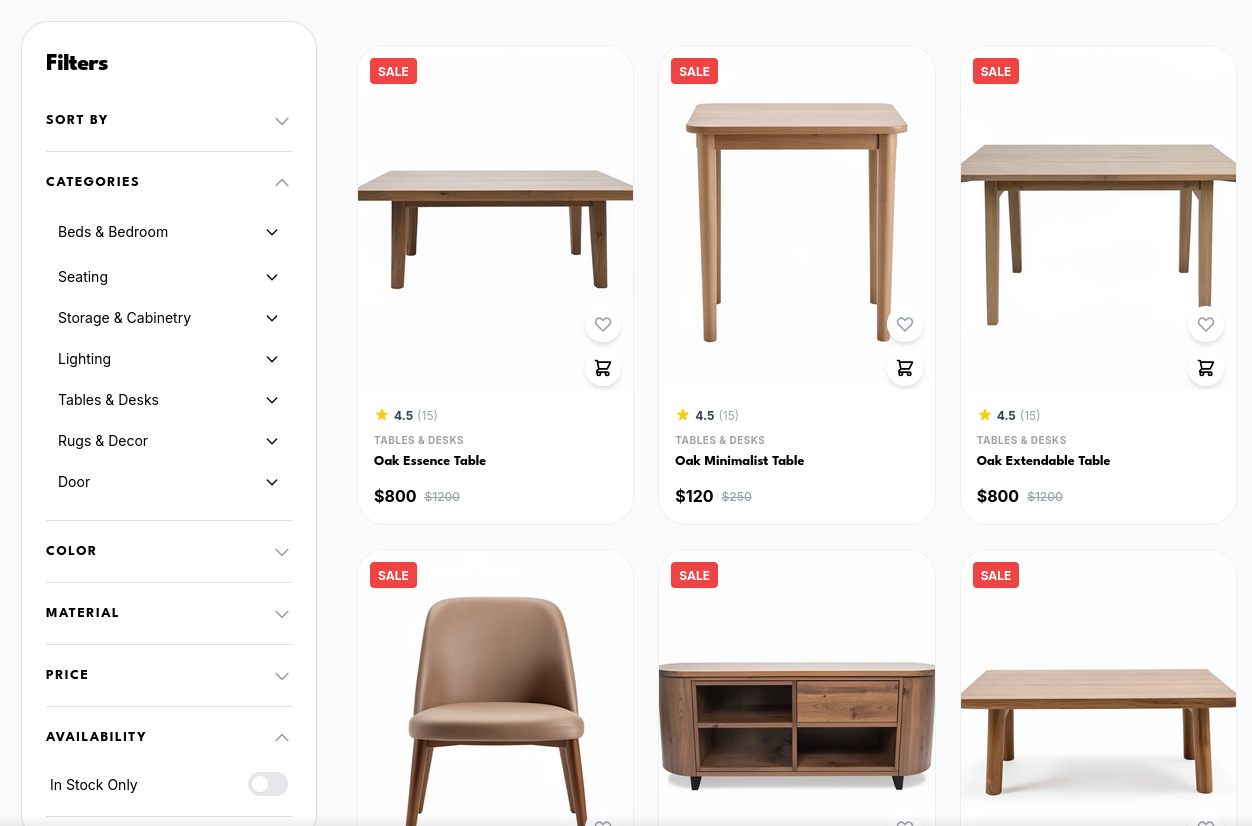
IntelliRoom is not a model demo floating outside a user workflow. The visual systems connect to a marketplace, design workspace, synchronized 2D/3D planner, PBR materials, and camera tools. My contribution was the attached AI and workflow layer; the surrounding product was built as a team system.
Design workspace2D / 3D plannerFloorplan toolsMarketplace
The planner’s engineering details matter to the AI handoff: synchronized 2D/3D views, 150 mm wall snapping, a 100 mm grid, collision checks, and viewport-aware prompting make generated content usable in a real spatial interface.
07 · Deep decisions
Beautiful output is only half the work.
The most valuable parts of this project are the boundaries: where a model ends, where a deterministic rule begins, and which system behavior deserves an operator-visible control.
Decision 01
Normalize before retrieval.
Free-form model tags are useful for language, but catalog search needs a fixed vocabulary. Known aliases map first; unknown values snap to the nearest allowed taxonomy value.
Decision 02
Keep modes explicit.
The universal graph makes bypasses visible. An operator can see whether a task used segmentation, structural conditioning, reference injection, or a shorter route.
Decision 03
Ship the operating surface.
Snapshots, cache routing, dependency repair, staged launch, and recovery controls turn notebook research into something another person can actually run.
⌄What I would evaluate next
Reference fidelity and edit locality should be measured on fixed room/reference sets with repeated seeds and identical settings. The recommendation engine should be evaluated by detection recall, taxonomy accuracy, and filtered versus fallback retrieval quality. The 3D path should be judged on geometry usefulness, texture consistency, scale, and export success—not just whether a mesh was produced.
08 · Complete record
Go deeper when the image makes you curious.
The narrative keeps the main path visual. The full record remains one click away for reviewers who want to inspect the original system, the complete presentation, or the thesis-level product context.
IntelliRoom presentation
Generative workflows, recommendation, 3D assets, and the complete project story.